RSB-3430 Yocto 2.1 User Guide
Introduction
產品介紹(Product introduction )
產品特性(Product Features)
- NXP Arm® Cortex®-A53 i.MX8M Plus Quad/Dual up to 1.8 GHz
- Onboard LPDDR4 4 GB / 6 GB, 4000MT/s memory
- HDMI 1920x1080 at 60Hz, 1 Single or 1 Dual Channel 24 bit LVDS (or 1 4-Lane MIPI-DSI by BOM Option)
- 1 4-wire RS-232/422/485, 1 USB3.2 Gen1 By 1, 1 USB2.0, 1 Micro SD, 1 Mic. in / Line out
- 1 mini-PCIe for 3G/4G, 1 M.2 2230 Key E Slot
- Supports Yocto Linux and Android
- Support I/O Expansions boards by UIO40-Express
硬件接口說明(Hardware interface introduction)
接口布局和尺寸(Layout and Sizes)
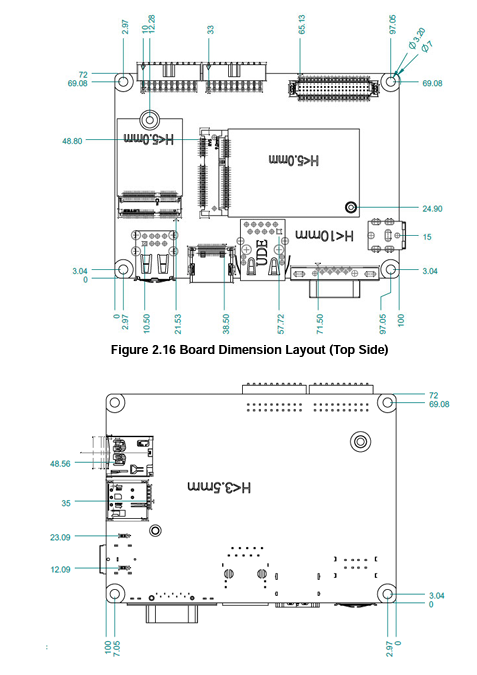
**接口布局圖 Board Dimension Layout **
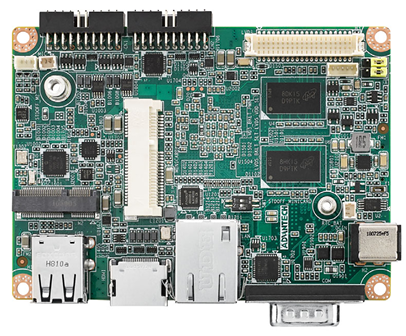
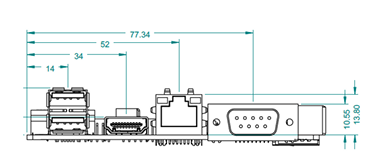
** 机械尺寸 (**Mechanical Characteristics)
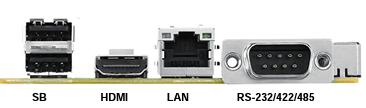
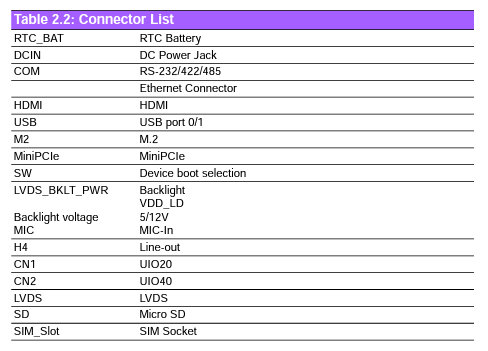
Connector List
** Linux 燒錄方法 (Linux Flash eMMC Method)**
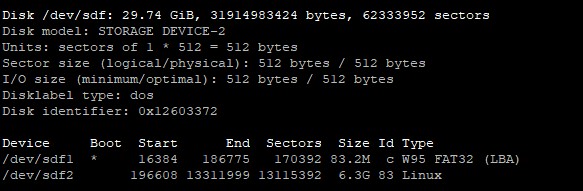
1. 確認SD 在Ubuntu 電腦中的代號
**
 **
**
**
 **
**
**2. 先將鏡像燒錄到SD Card 中( Create a bootable SD card ) **
'*
 *
*
**
 **
**
**3.設定終端機(Set Debug Terminal) **
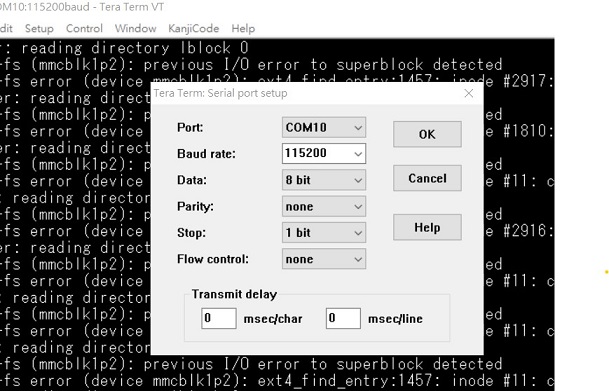
Debug 串口調試 (Debug port Setting)
以 Tera Term 为例介绍如何使用串口调试功能
   Data 数据位:8
   Parity 奇偶校验:无
   Stop 停止位:1
   Flow Control流控:无
Tera Term Tool
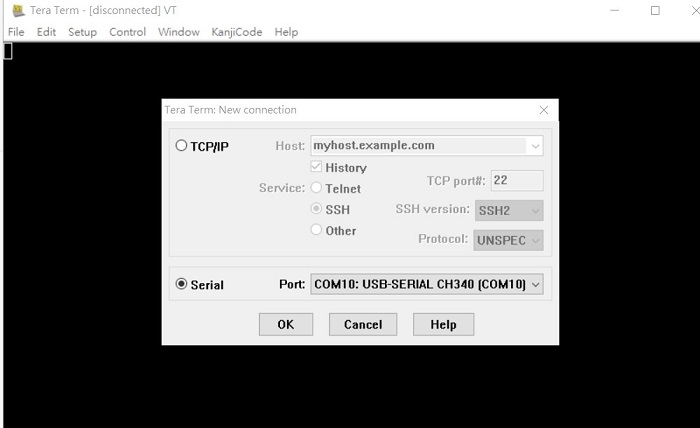
Check the Sriel port in Device Manager (查看PC端的串口号):
if you can not identify the Serial device , please check your serial driver.
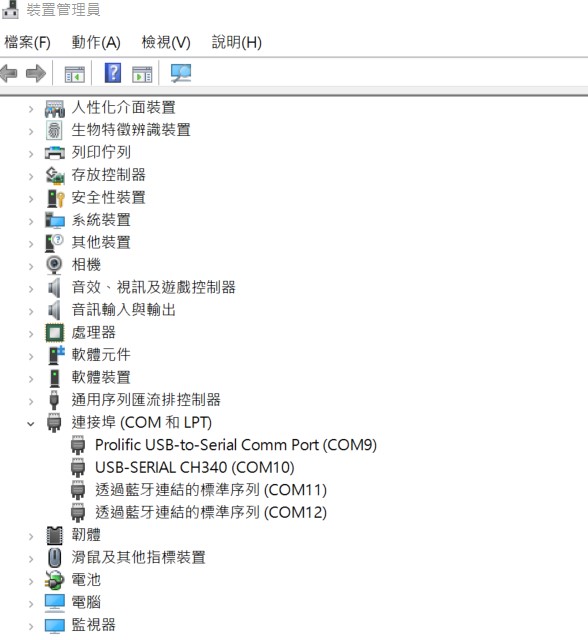
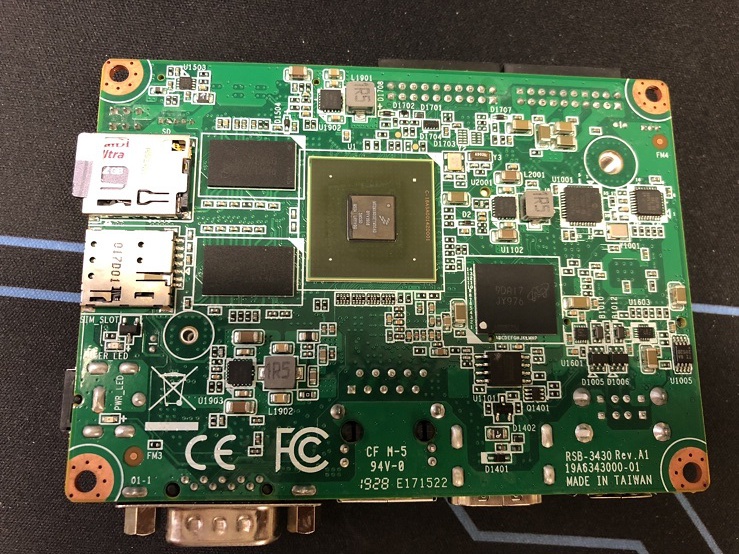
**4. 將SD card 插入機器 **
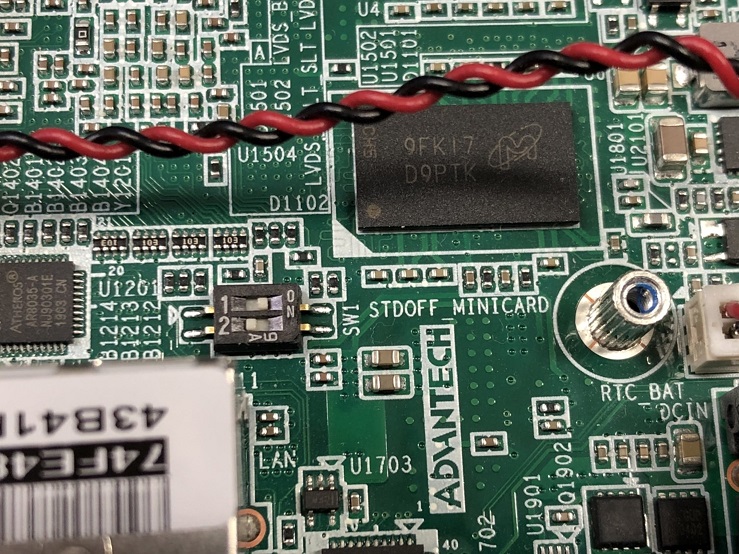
**5. 檢查撥碼開關 ( 1 ON , 2 OFF) **
**
 **
**
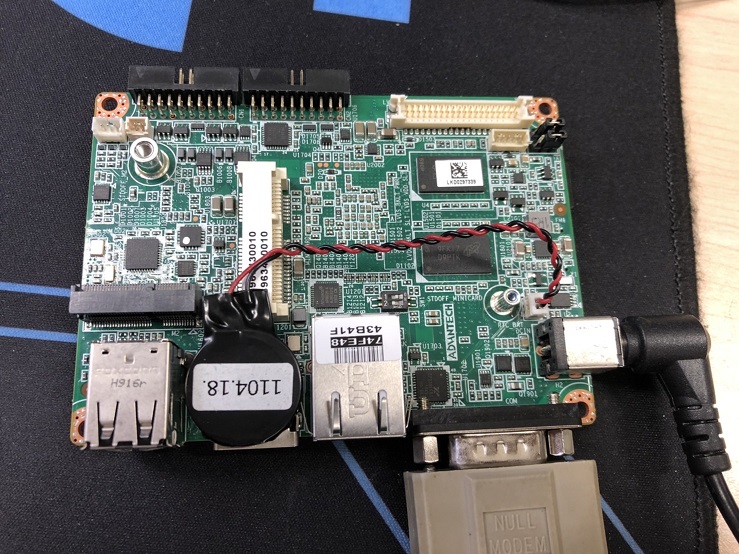
**6. 接上Debug Cable **
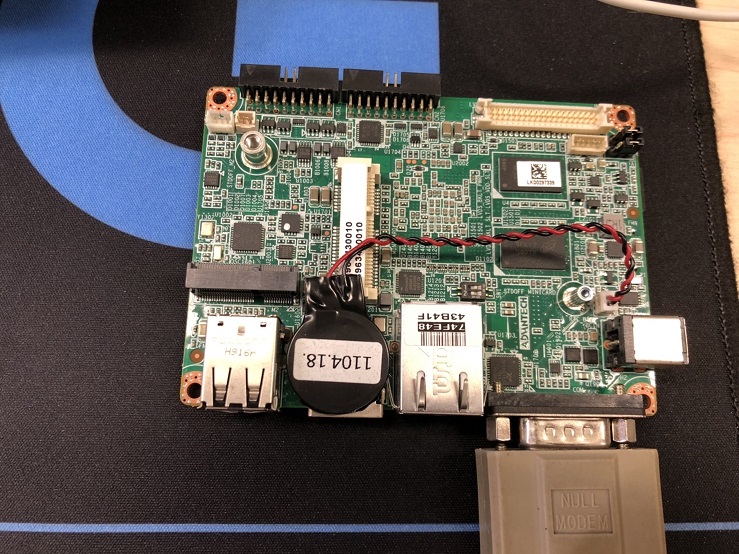
**7. 打開電源 **
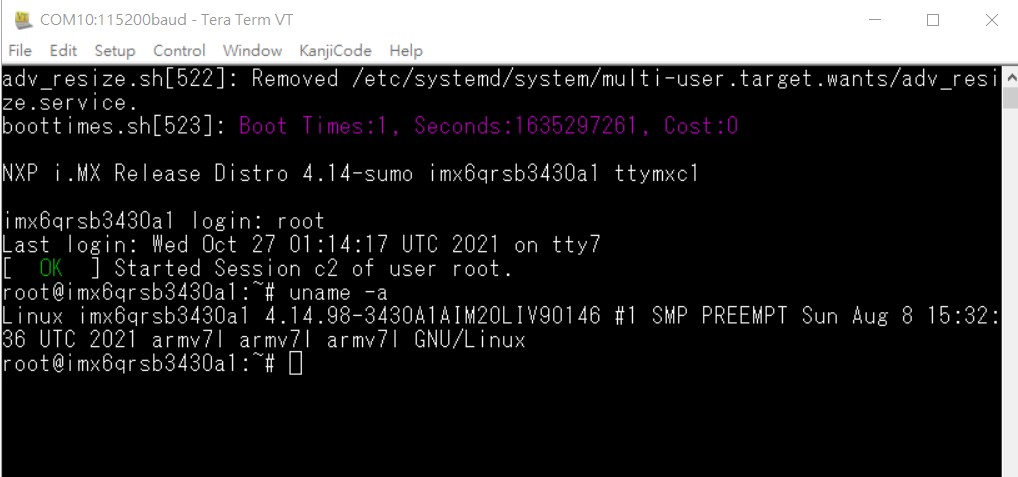
**8. 由終端機進入系統 **
**
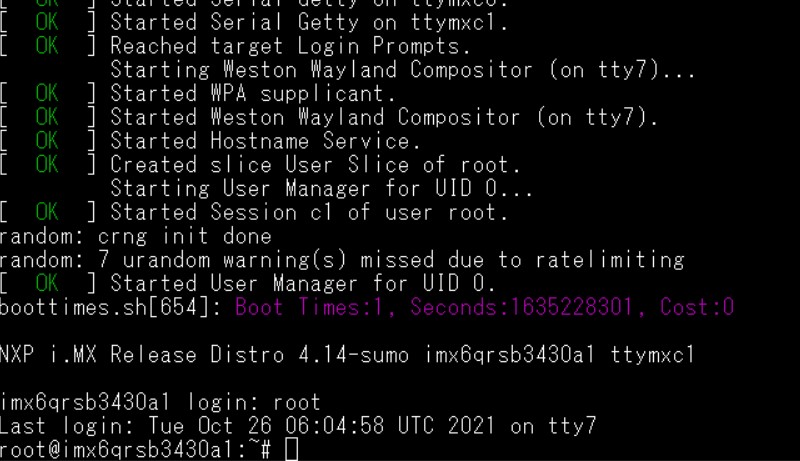 **
**
**9. 燒錄鏡像到 eMMC flash **
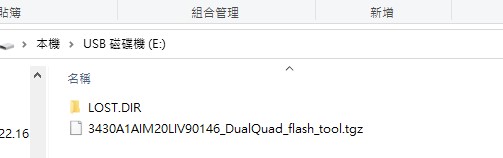
**將3430A1AIM20LIV90146_DualQuad_flash_tool.tgz 複製到U盤中,插入機器的USB Port **
**
 **
**
**在系統中 ,確認USB中燒錄資料 **
**
 **
**

**在根目錄下 ,解壓縮 **
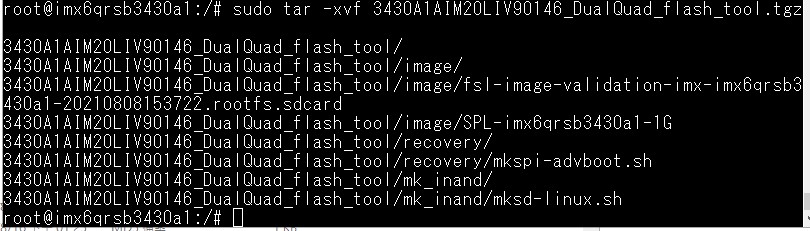
**在mk_Inand 資料夾中執行 ./mksd-linux.sh **

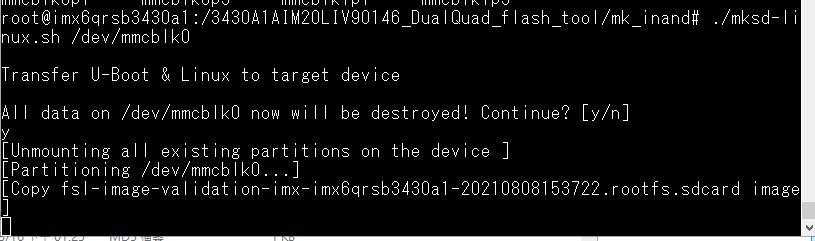
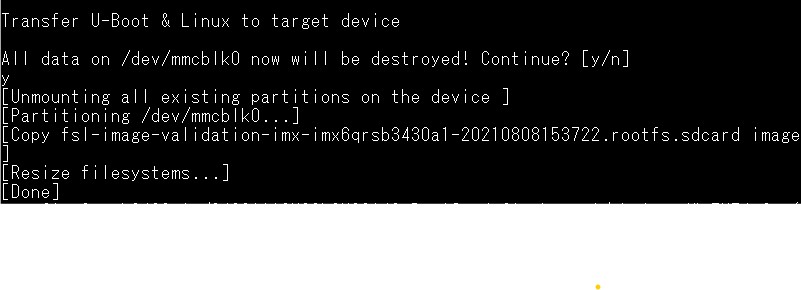
**10. 移除SD 卡,從eMMC 開機. **
** Linux系统的基本使用(Linux System Basic Operating Method)**
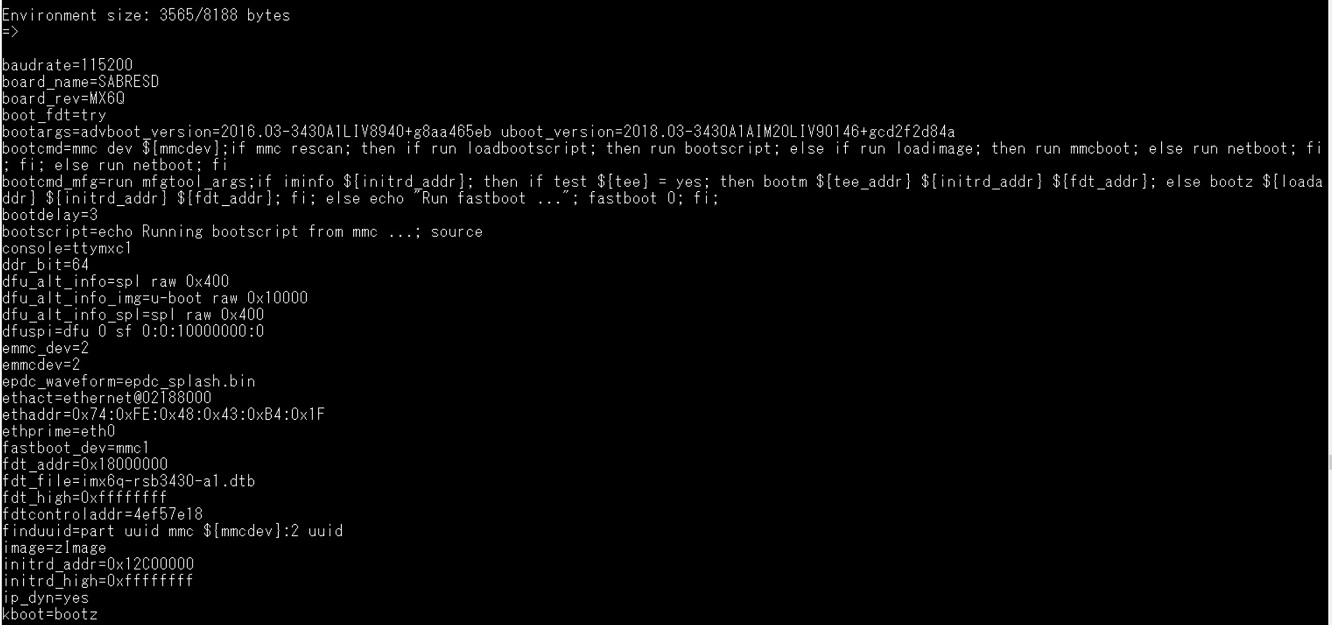
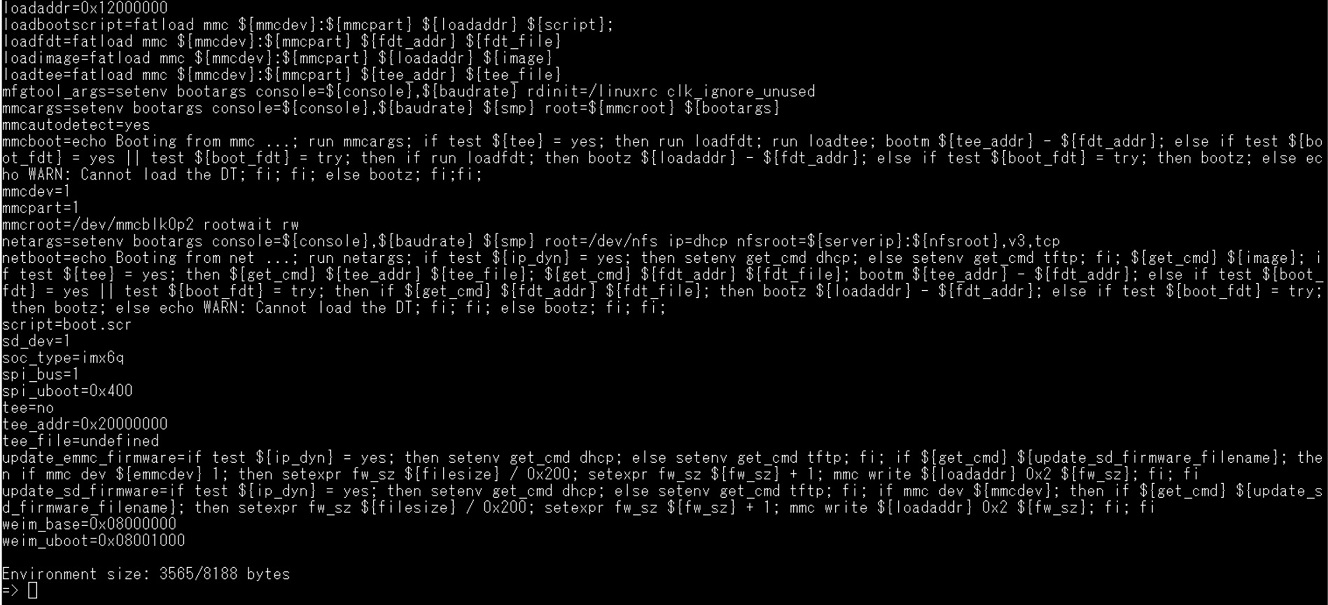
載入預設值由uboot 設定(Load Default Setting in Uboot )
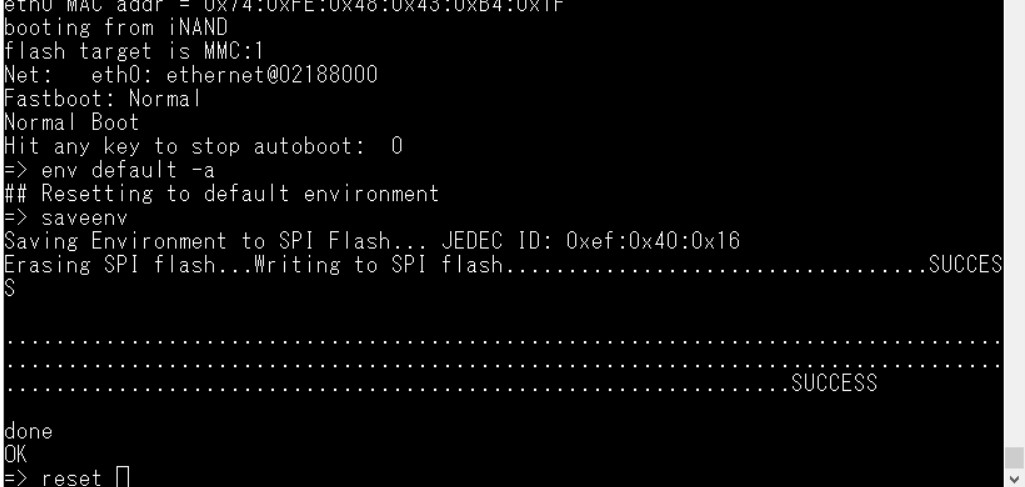
**1. 開機時 在五秒內按下空白鍵 ,進入Uboot **
**2. Command : **
** env default -a **
** saveenv **
** reset **
**
 **
**
**顯示設定 (Display Setting ) **
** 預設值為: HDMI 輸出**
**
 **
**
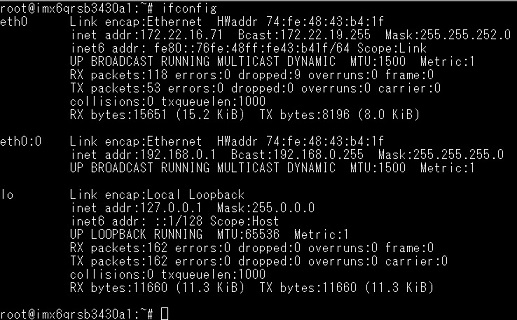
乙太網路使用方法(Ethernent Testing Method)
**Command : ifconfig **
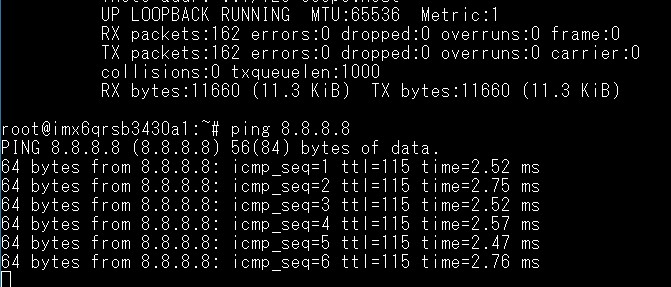
**Command: Ping 8.8.8.8 **
**
 **
**
WiFi & BT 使用方法(WIFI & Bluetooth Testing Method)
WIFI

$ ifconfig mlan0 up
$ wpa_passphrase \${SSID} \${WPA_KEY} > /tmp/wpa.conf
$ wpa_supplicant -BDwext -imlan0 -c/tmp/wpa.conf
$ udhcpc -b -i mlan0

BlueTooth

$ /usr/libexec/bluetooth/bluetoothd -C &
$ hciconfig hci0 up
$ bluetoothctl
$ discoverable on
$ pairable on
$ scan on
[NEW] FC:18:3C:8D:75:F4 Device ID
$ scan off
$ pair FC:18:3C:8D:75:F4
$ connect FC:18:3C:8D:75:F4
3G使用方法(3G Testing Method)
3G (Telit HE910D)
pppd connect 'chat -v -s -t 10 "" "AT" "" "ATDT*99#" "CONNECT" ""' user username password password /dev/ttyACM3 460800 nodetach crtscts debug usepeerdns defaultroute &
USB 測試方式(USB Test metod )
USB
Insert a USB disk
usb 1-1.2: new high-speed USB device number 4 using ci_hdrc usb-storage 1-1.2:1.0: USB Mass Storage device detected scsi2 : usb-storage 1-1.2:1.0 scsi 2:0:0:0: Direct-Access Generic- SD/MMC 1.00 PQ: 0 ANSI: 0 CCS sd 2:0:0:0: [sda] 3862528 512-byte logical blocks: (1.97 GB/1.84 GiB) sd 2:0:0:0: [sda] Write Protect is off sd 2:0:0:0: [sda] No Caching mode page found sd 2:0:0:0: [sda] Assuming drive cache: write through sd 2:0:0:0: [sda] No Caching mode page found sd 2:0:0:0: [sda] Assuming drive cache: write through sda: sda1 sd 2:0:0:0: [sda] No Caching mode page found sd 2:0:0:0: [sda] Assuming drive cache: write through sd 2:0:0:0: [sda] Attached SCSI removable disk
串口使用方法(Serial Port Operating Method)
**RS-232 Test **
echo Serial Port Test > /dev/ttymxc1
RS-422 setting
echo 135 > /sys/class/gpio/export
echo out > /sys/class/gpio/gpio1/direction
echo out > /sys/class/gpio/gpio2/direction
echo 1 > /sys/class/gpio/gpio1/value
echo 1 > /sys/class/gpio/gpio2/value
**RS-422 test **
echo Serial Port Test > /dev/ttymxc1
**RS-485 setting **
echo 135 > /sys/class/gpio/export
echo out > /sys/class/gpio/gpio1/direction
echo out > /sys/class/gpio/gpio2/direction
echo 0 > /sys/class/gpio/gpio1/value
echo 1 > /sys/class/gpio/gpio2/value
**RS-485 test **
echo Serial Port Test > /dev/ttymxc1
遠程訪問及文件傳輸(Remote Access and File Transimmion)
** 查看主板IP位址 ( Chech IP Address ):**
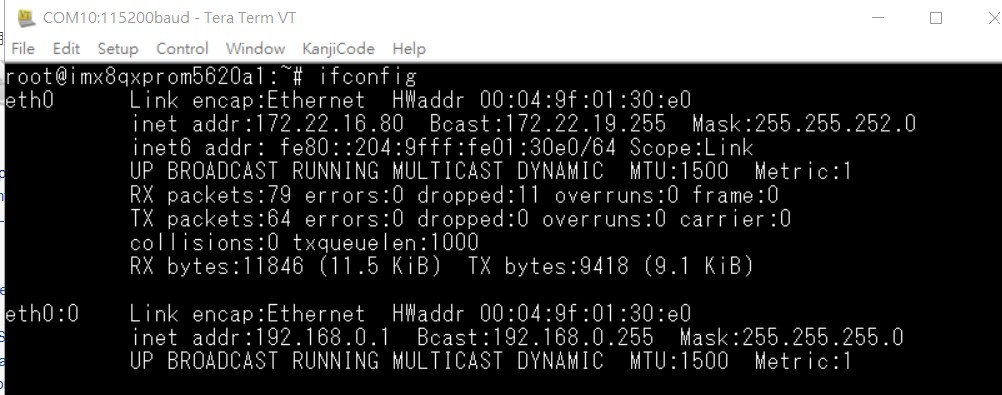
Windows下SSH访问及文件传输
SSH Remote Log into Device
- SSH远程登录,以putty选择putty.exe(或者使用Xshell、SecureCRT等类似软件)
- 需要设置远程设备的IP、通讯端口(默认22)、通讯方式,登录后验证用户名密码
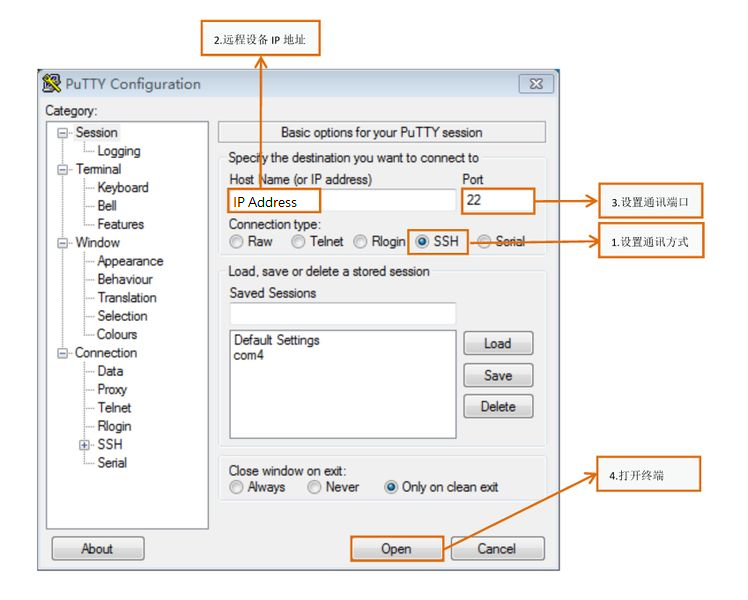
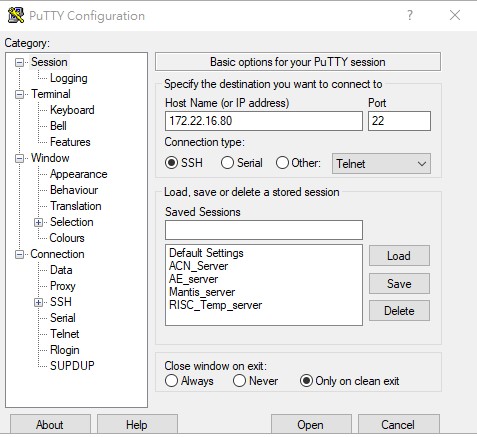
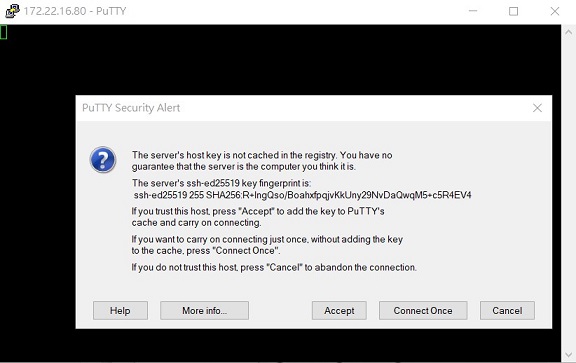

通用方法(General Method)
查看CPU温度(Check CPU Temperature)
# 或者直接以度爲單位顯示 echo $[$(cat /sys/class/thermal/thermal_zone0/temp)/1000]° >>> 45°
查看CPU频率(Check CPU Frequency)
           >> 900000
           cat /sys/devices/system/cpu/cpu0/cpufreq/cpuinfo_max_freq
           >> 1200000
查看内存容量(Check Memory Capacity)
             total       used       free     shared    buffers     cached
Mem:       1794920     516080    1278840      17252      9852        80292
-/+ buffers/cache:     425936    1368984
Swap:            0          0          0
查看存储容量(Check Storage Capacity)
Filesystem                Size      Used Available Use% Mounted on
/dev/root                13.4G      1.7G     11.1G  13% /
devtmpfs                395.8M      4.0K    395.8M   0% /dev
tmpfs                   876.4M         0    876.4M   0% /dev/shm
tmpfs                   876.4M     16.5M    859.9M   2% /run
tmpfs                   876.4M         0    876.4M   0% /sys/fs/cgroup
tmpfs                   876.4M      4.0K    876.4M   0% /tmp
tmpfs                   876.4M    280.0K    876.2M   0% /var/volatile
/dev/mmcblk0p2           13.6G      1.7G     11.3G  13% /run/media/mmcblk0p2
/dev/mmcblk0p1           63.9M     23.4M     40.5M  37% /run/media/mmcblk0p1
/dev/mmcblk1p1           63.9M     23.4M     40.5M  37% /run/media/mmcblk1p1
tmpfs                   175.3M     88.0K    175.2M   0% /run/user/0
root@imx8qxprom5620a1:/#
** 網路Ping測試(Ping Network Testing)**
     PING 8.8.8.8 (8.8.8.8) 56(84) bytes of data.
     64 bytes from 8.8.8.8: icmp_seq=1 ttl=54 time=2.10 ms
     64 bytes from 8.8.8.8: icmp_seq=2 ttl=54 time=2.10 ms
**設置RTC (RTC Setting) **
$ date MMDDhhmm[[CC]YY][.ss]
$ hwclock -w
$ ntpdate tw.pool.ntp.org
Audio 測試
$ aplay -D plughw:0,0 Advantech.wav
MIC in :
$ arecord -t wav -c 1 -r 44100 -d 10 test.wav
** Display (LVDS:800x480)設置 **
setenv mmcargs setenv bootargs console=\${console},\${baudrate} \${smp} root=\${mmcroot} \${bootargs} video=mxcfb0:dev=ldb,800x480M@60,if=RGB24