OS Builder — User Guide
AIM-Linux OS Builder (in development) targets mass-production workflows by turning complex BSP modifications into guided, repeatable tasks. It bridges the gap between proof-of-concept builds handled by Power Suite and the highly customised OS variants required on the factory floor.
The Azure Blob link above always hosts the most recent OS Builder build—bookmark it to pick up future updates as soon as they drop.
Click the button above or run the following command to download the latest build:
wget -O OS_Builder_latest.run 'https://riscsw.blob.core.windows.net/os-builder-app/OS_Builder_latest.run'
Latest Release Notes
View Full Release Notes
Click the button above to download the complete OS Builder release history.
Install OS Builder
$ chmod +x ./OS_Builder_latest.run
$ ./OS_Builder_latest.run --install
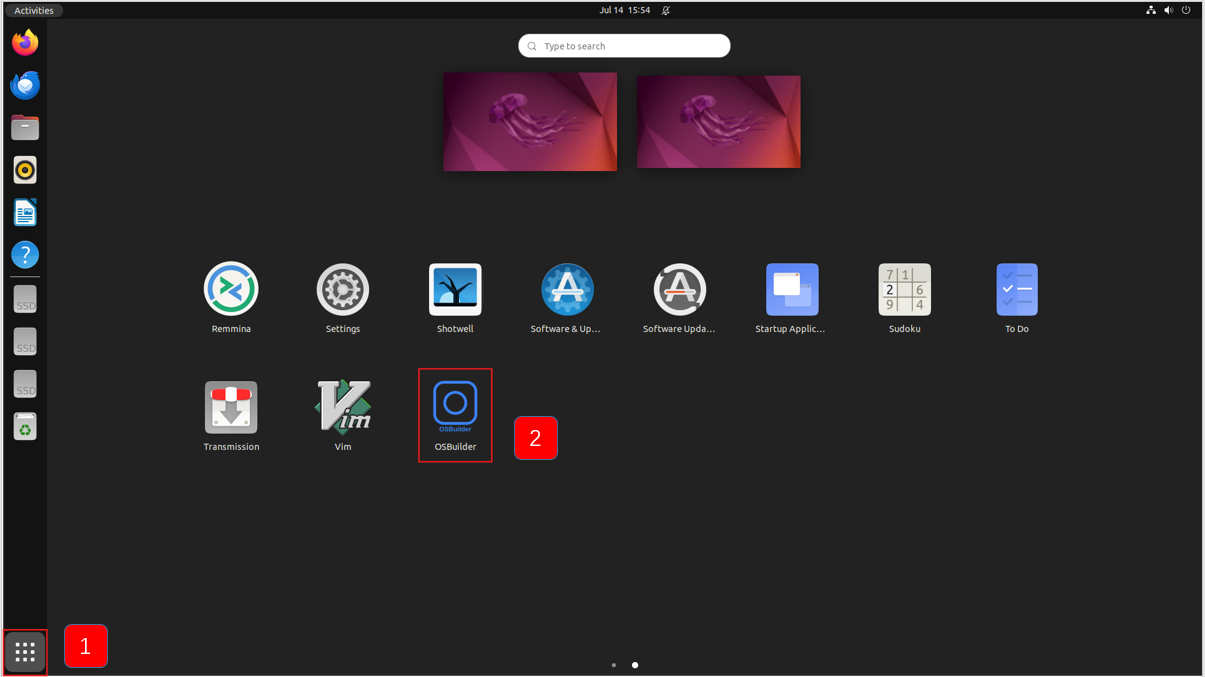
Launch OS Builder
Method 1: Click the following icon
1. At-a-Glance
- Custom filesystem composer: tailor rootfs content with a declarative recipe—select base distro, add/remove packages, tweak config overlays, and inject custom scripts, all version-controlled for repeatable customization.
- Local package & driver injection: preload proprietary .deb/.rpm installers, kernel modules, or firmware blobs directly into the build context.
- Branding & boot assets: replace the boot splash, OEM logo, and systemd-boot/grub graphics with your own assets—supports PNG, JPG, and BMP.
- Cross-platform & cross-OS ready: run on Ubuntu with the same build script; output images for RK, Qualcomm, Nvidia Jetson, NXP, and generate flashable binaries for Android, Yocto, or Debian-based systems, giving customers full control over the final artifact.
2. Why Teams Use OS Builder
| Traditional challenge | OS Builder approach |
|---|---|
| Start the device and install the relevant software packages and drivers for the system. | Provides a guided workflow to install the required software packages and drivers. |
| Error-prone CLI flows | Low-code operation, capable of batch processing operations |
| Depend on online updates or manual modification or loading of drivers | Relying solely on the resources related to the host machine |
3. Guided Workflow
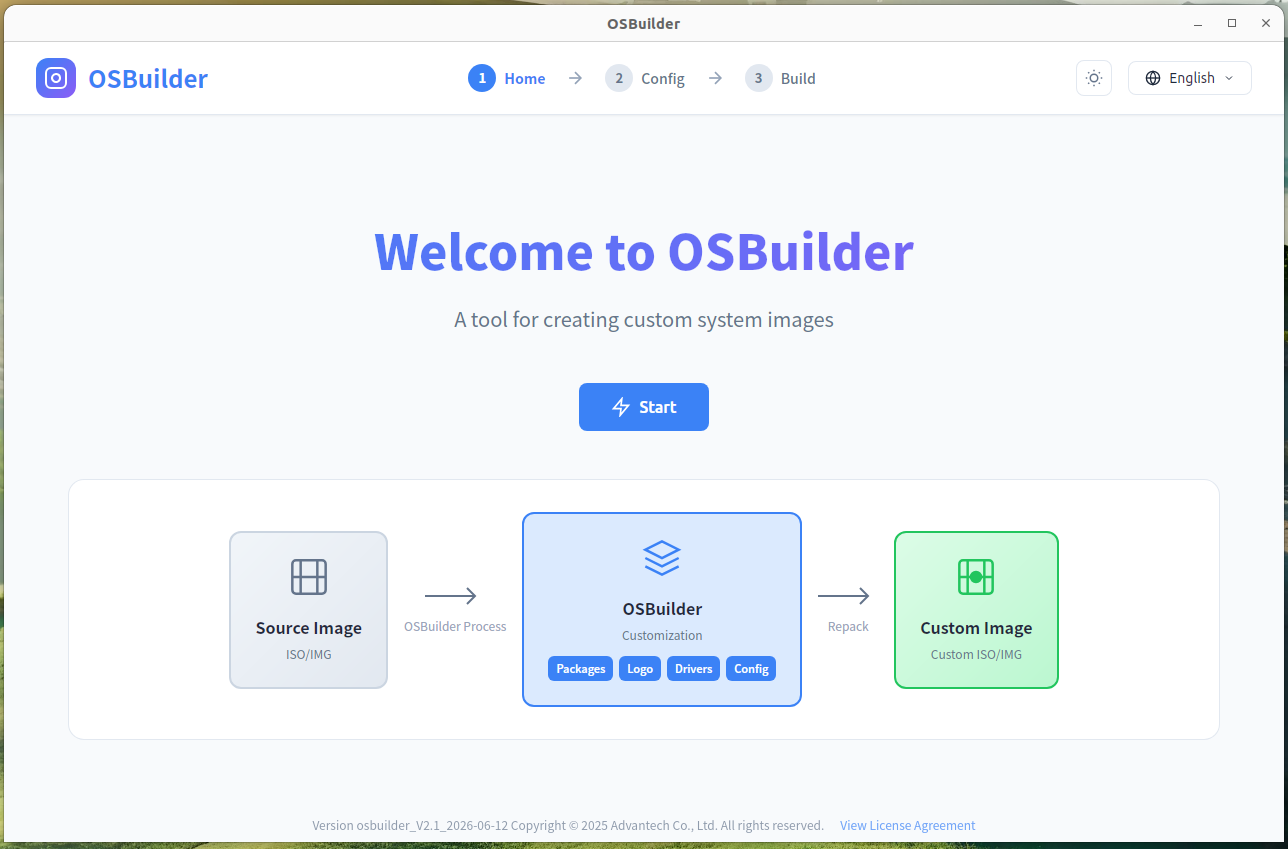
Step 1 – Press the Button to Get Started
Click the start button and customize the mirror image.
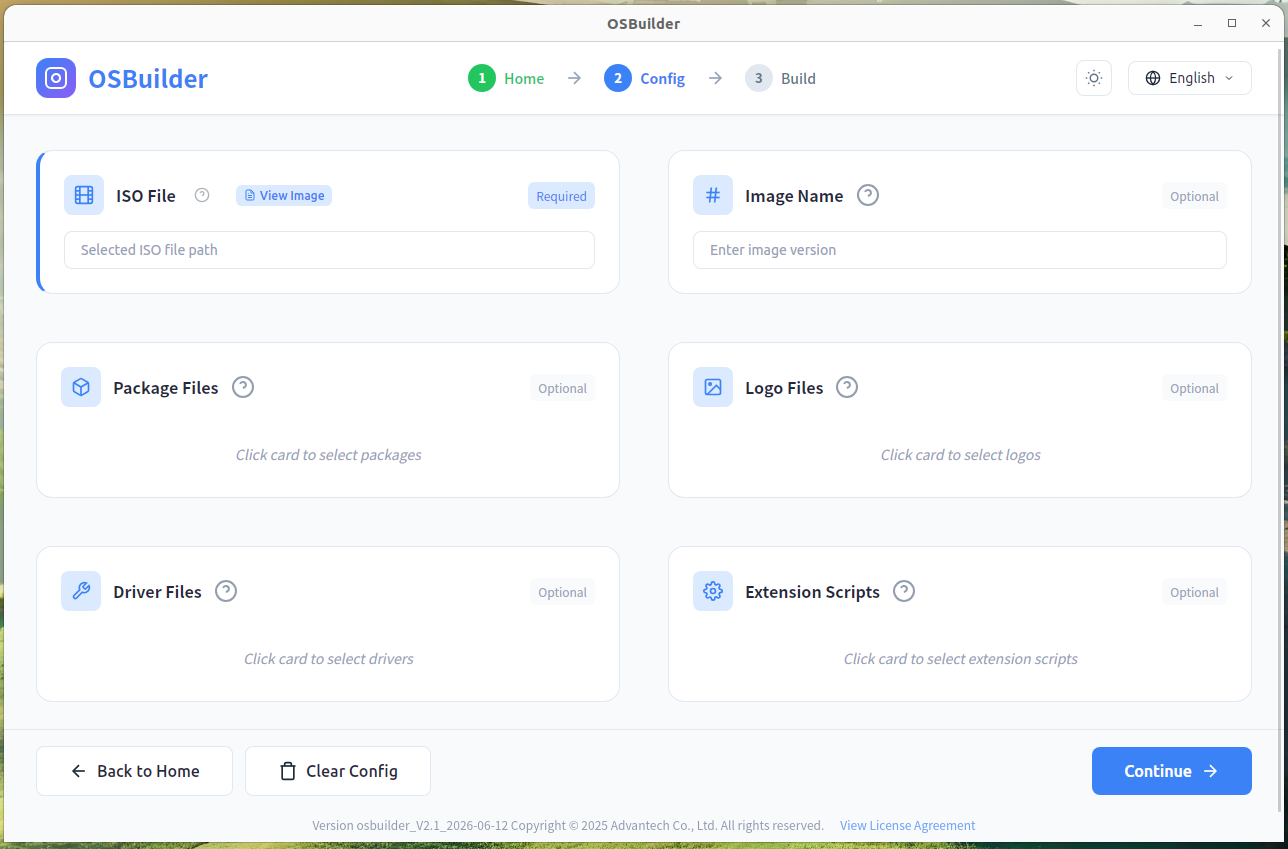
Step 2 – Customize the Mirror Image
-
Select the mandatory image file
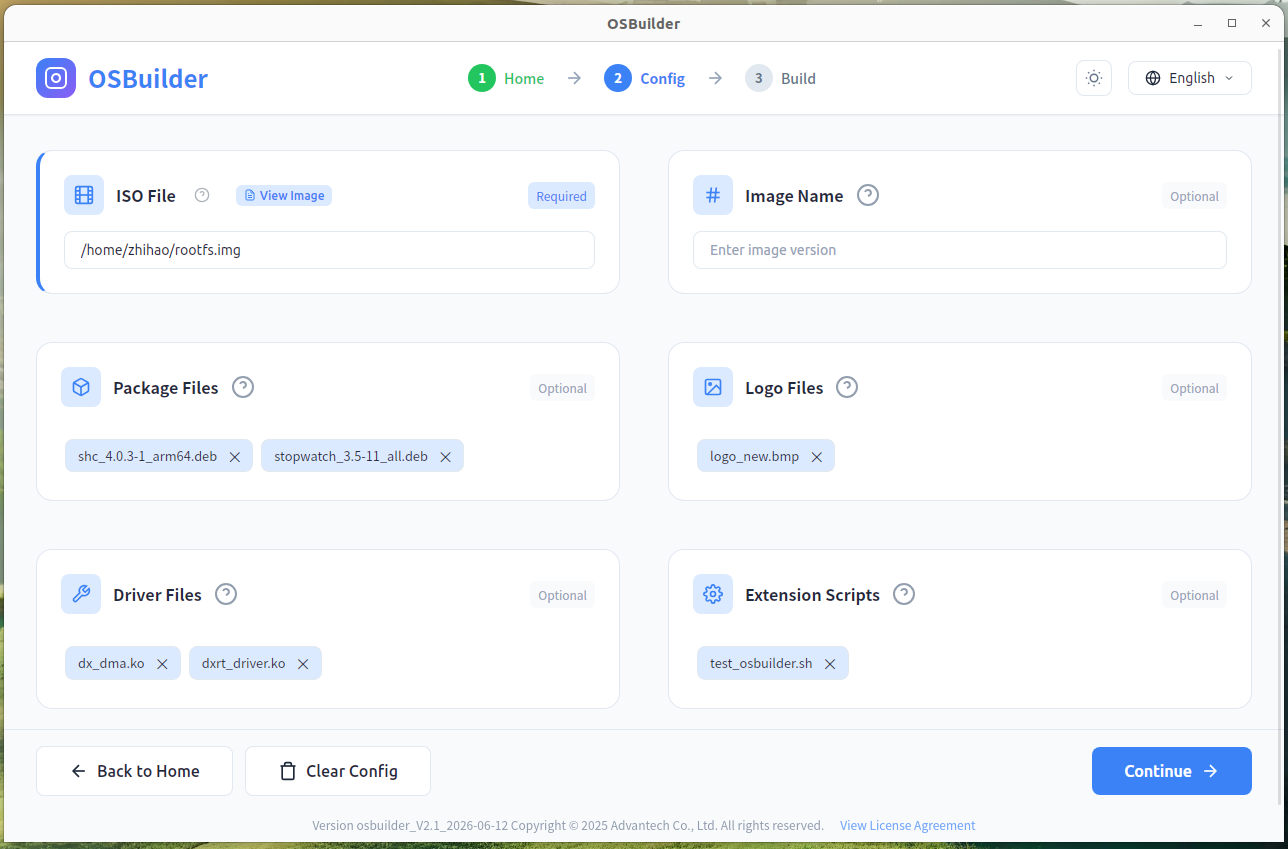
In the Image File section, click View Image to browse your local filesystem and pick the target root filesystem image (e.g., a .img file). Once selected, the full path appears in the input field. You may also optionally enter an image version tag.
-
Add optional artifacts (packages, drivers, logo, or scripts)
Use the clickable tag areas to attach any combination of the following:
- 2.1 Software packages – click the Package Files tag to add .deb/.rpm installers.
- 2.2 Logo file – click the Logo Files tag to upload a boot splash or OEM logo (BMP/PNG/JPG).
- 2.3 Driver files – click the Driver Files tag to insert kernel modules (.ko).
- 2.4 Extension scripts – click the Extension Scripts tag to include custom shell scripts for post-processing.
eg:
-
- Develop Docker container image. The container image is complete, available and tested successfully.
-
- Export the container image.
-
- Package the image tar file and the required shell script into a run package.
-
- OSBuilder selects the run package.
-
- Create a new image.
-
- This image can be reused and used on multiple devices.
-
Proceed and authenticate
All these are optional; you can select one, several, or none. Click the Continue button. A password prompt will appear – enter the host machine's system password (sudo/root password) to authorize the build, flashing, or customization operation. After successful authentication, the configured task will start.
Step 3 – Build custom image
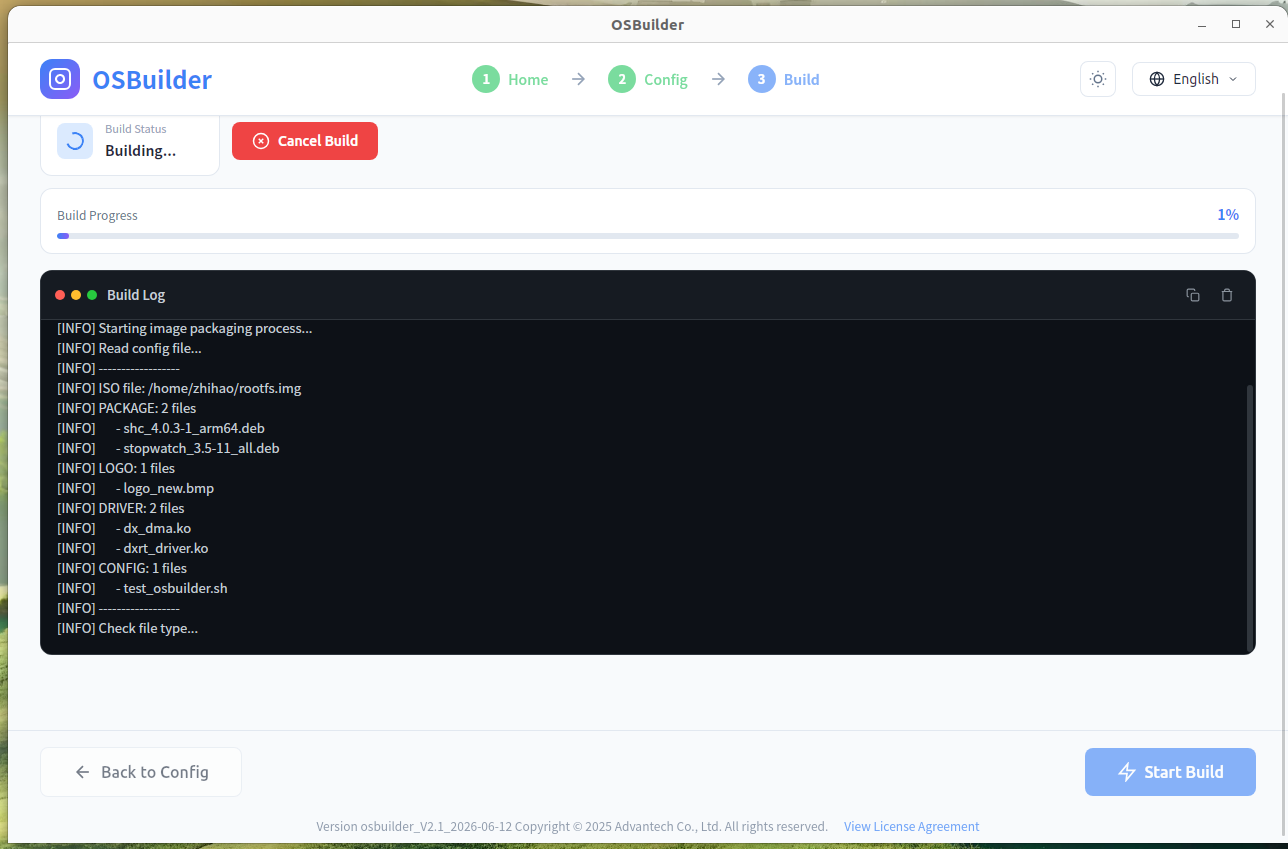 Prepare the necessary files and configurations, click the Start Build button on the page, and generate the customized image.
4. Development Roadmap
The internal roadmap targets staged releases through 2026 that progressively add manufacturing features, integration hooks, and automation templates.
OS Builder ultimately enables customers to focus on differentiating applications while Advantech handles the repetitive steps of configuring and maintaining embedded Linux environments.
5. Enterprise Benefits, OSBuilder Value
- Mass-production ready – Package modifications, certification artefacts, and test scripts so contract manufacturers can flash devices at scale.
- Responsive support – Designed for Advantech AE/FAE teams to deliver quick-turn solutions when silicon vendor assistance is limited or costly.
- Reduce R&D burden – Shrinks the amount of code compilation and verification customers must maintain themselves.
- Modular workflow – Builds on the same meta-layered BSP approach used in BSP Launcher, keeping custom patches isolated per machine.
6. Conclusion
OS Builder is Advantech's customizable image construction tool for embedded Linux mass production. It turns complex BSP modifications into guided, repeatable tasks via a declarative recipe system, supporting local package/driver injection, branding customization, and a low-code three-step workflow. Built for volume manufacturing, it packages modifications and certification artefacts for contract manufacturers to flash devices at scale. This ultimately lets customers focus on their applications while Advantech handles the repetitive embedded Linux configuration work.