AOM-DB3500 Display
Contents
- 1Configure Resolution for HDMI/DP screen
- 2HW Setting:
- 3SW setting: 3.1Multi-Display 3.2Dual-Display 3.3Triple-Display
Configure Resolution for HDMI/DP screen
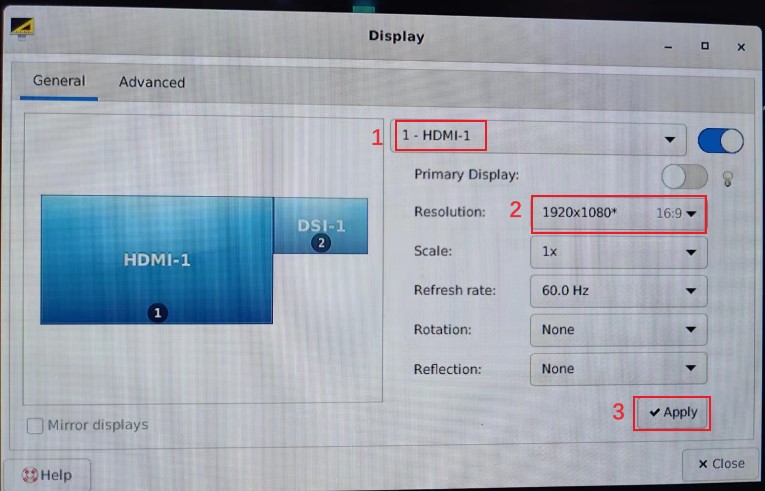
- Click “Applications” -> “Settings”->“Display”. 2. Choose “HDMI-1”or “DP-1”, then choose “Resolution”. 3. Click “Apply”.
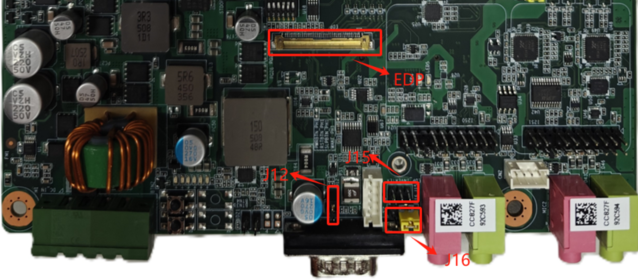
HW Setting:
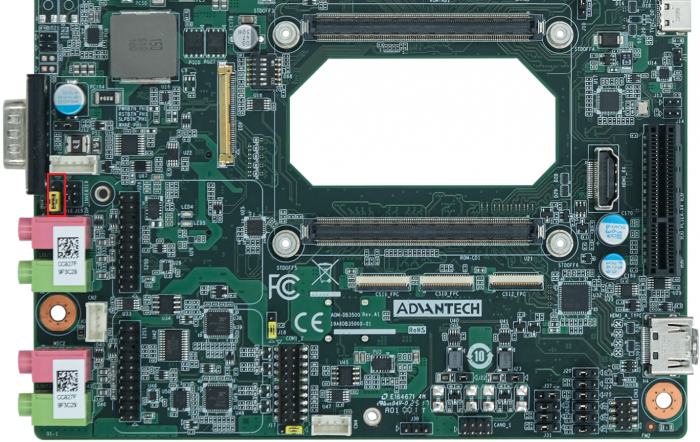
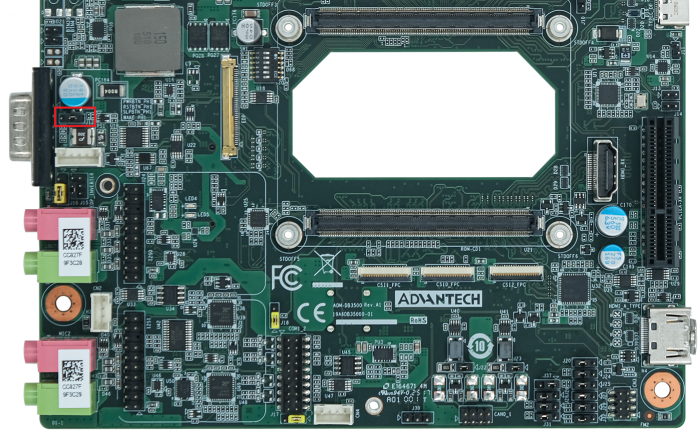
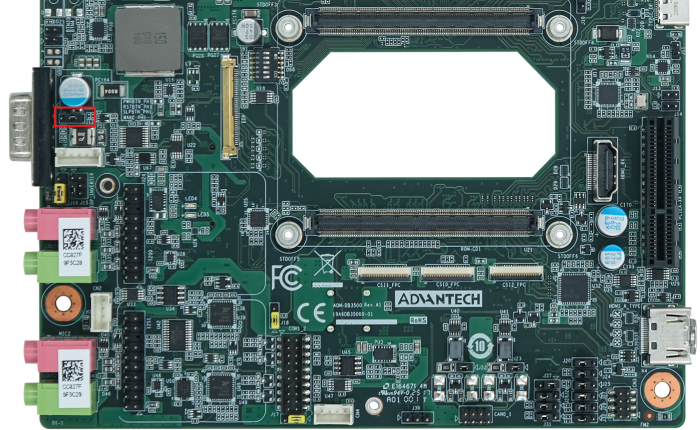
| J15:EDP VDD Power Select |
|---|
| Pin |
| 3-5 |
| 1-3 |
| 3-4 |
| Other |
| J16:EDP Backlight Power Select |
|---|
| Pin |
| 1-2 |
| 3-4 |
| J12:EDP Hot-Plug Detect Select |
|---|
| Pin |
| 1-2 |
| 2-3 |
SW setting:
Multi-Display
AOM-3821 supports three kinds of displays — HDMI, eDP, DP
1.DP physical interface is Type-C 2.DP is always open and cannot be closed
| Support EDP Panel |
|---|
| Panel Model |
EDP HW Setting:
J12=>2-3 EDP HDP
J15=>3-5 (+VDD_EDP)+3.3V (B156XTN07.1)
J16=>2-3 (BKLT_VDD_LCD1)+12V
Dual-Display
"HDMI + DP” is the default configuration.
- HDMI + DP
# fw_setenv display0 hdmi0-default
# fw_setenv display1
# fw_setenv display2
# fw_setenv display3
# reboot
- eDP + DP
# fw_setenv display0
# fw_setenv display1 edp1-1366x768
# fw_setenv display2
# fw_setenv display3
# reboot
Triple-Display
- HDMI + eDP + DP
# fw_setenv display0 hdmi0-default
# fw_setenv display1 edp1-1366x768
# fw_setenv display2
# fw_setenv display3
# reboot