AOM-DB3500 M.2 B Key——4G/5G
Contents
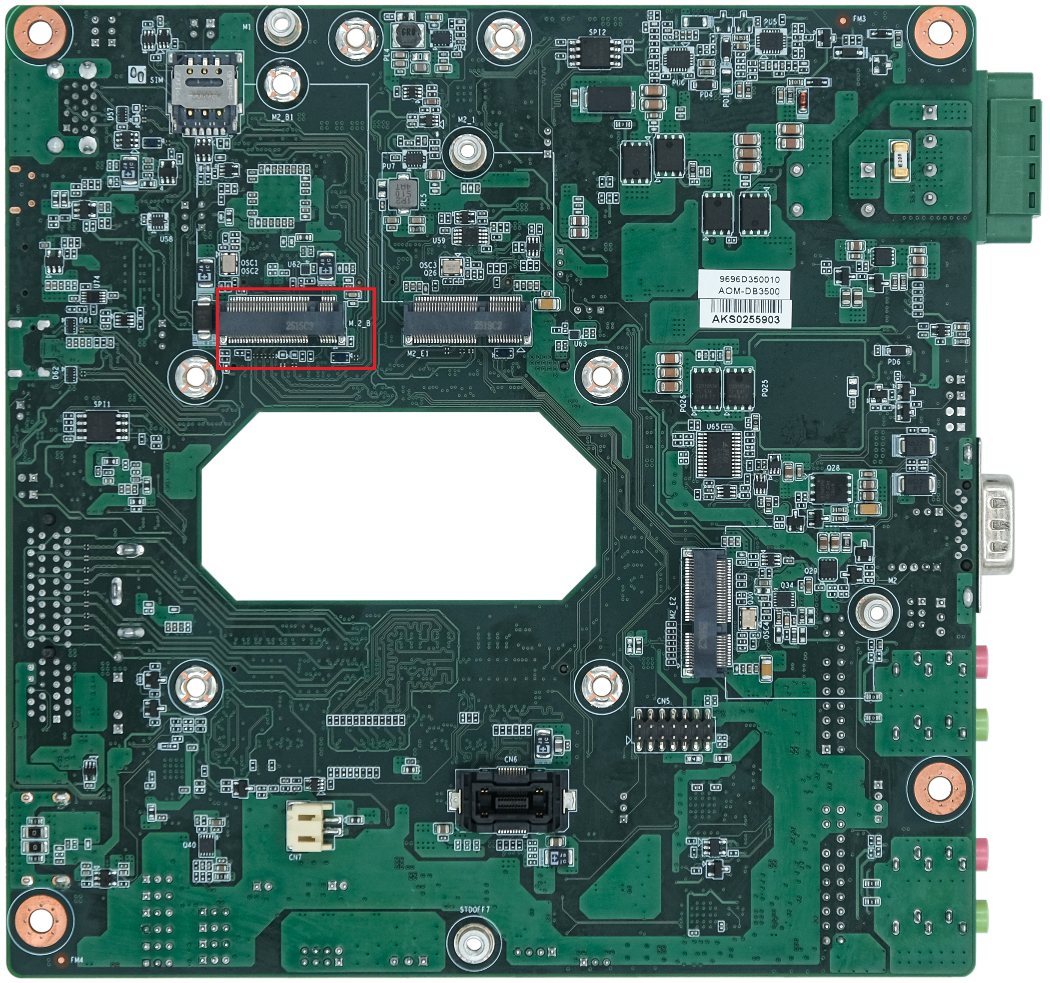
- 1AOM-3821 supports three PCIE ports.
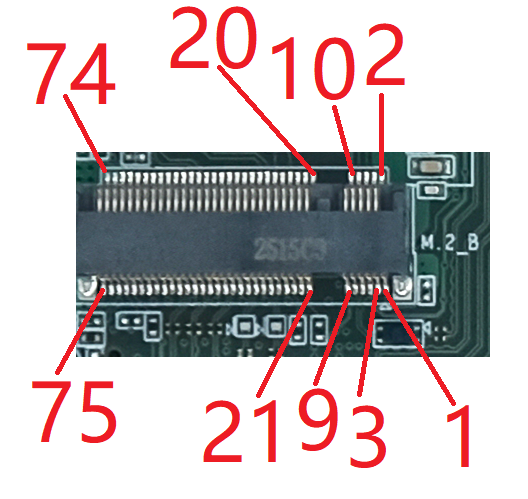
- 2M.2_B Key Pin define
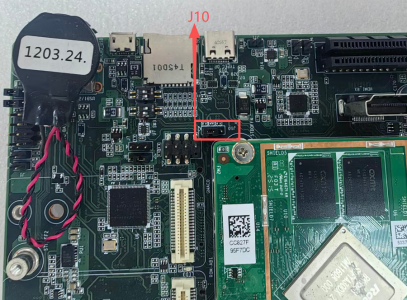
- 3J10 M.2_B Power Setting
- 44G/5G
- 5M.2_B-KEY PCIE TEST Preparation:
AOM-3821 supports three PCIE ports.
Using the PCIE disk (SQF-C8BV2-128G-EDE) to test the M.2_B-Key PCIE interface. Using the WIFI module (EWM-W179M201E) to test the M.2_E-Key PCIE interface. Using NVMe (UGREEN KB-SA0093-A1 + JZ-SSD256G-5) to test PCIEX4 interface.
M.2_B Key Pin define
| M.2_B M.2_B Connector Pin Definition |
|---|
| Pin |
| 1 |
| 2 |
| 3 |
| 4 |
| 5 |
| 6 |
| 7 |
| 8 |
| 9 |
| 10 |
| 11 |
| 12-19 |
| 20 |
| 21 |
| 22 |
| 23 |
| 24 |
| 25 |
| 26 |
| 27 |
| 28 |
| 29 |
| 30 |
| 31 |
| 32 |
| 33 |
| 34 |
| 35 |
| 36 |
| 37 |
| 38 |
| 39 |
| 40 |
| 41 |
| 42 |
| 43 |
| 44 |
| 45 |
| 46 |
| 47 |
| 48 |
| 49 |
| 50 |
| 51 |
| 52 |
| 53 |
| 54 |
| 55 |
| 56 |
| 57 |
| 58 |
| 59 |
| 60 |
| 61 |
| 62 |
| 63 |
| 64 |
| 65 |
| 66 |
| 67 |
| 68 |
| 69 |
| 70 |
| 71 |
| 72 |
| 73 |
| 74 |
| 75 |
J10 M.2_B Power Setting
| Pin | Function |
|---|---|
| J10(1-2) | M.2_B power 3.3V (Default) |
| J10(2-3) | M.2_B power 3.8V |
4G/5G
AOM-3821 supports EM05CNFD-128-SGAS and RM520NGLAA.
USB3.0-RM520N-GL USB2.0-EM05CNFD
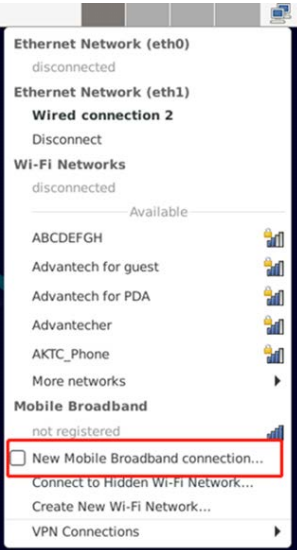
STEP 1: Power on the device, Click network connection icon then choose "New Mobile Broadband connection".
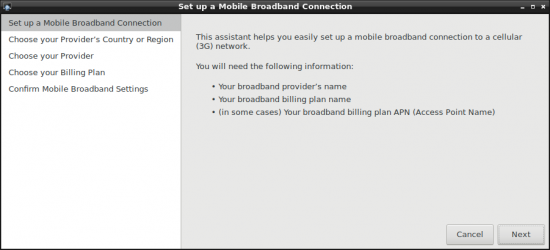
then you will see the following window, click "Next" button to the next step.
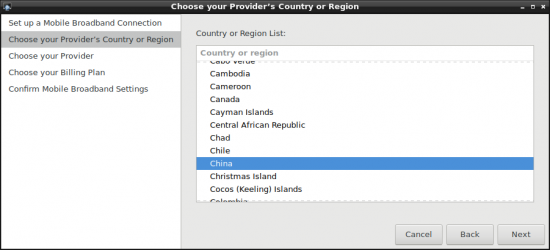
STEP 2 : Choose Provider's country or region of the SIM card you insert in STEP 0.
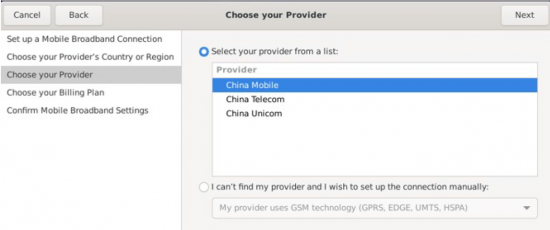
STEP 3 : Choose or Set the Provider's name.
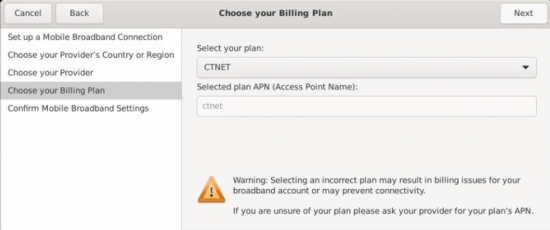
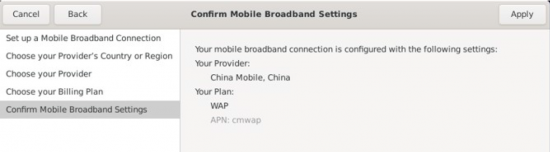
STEP 4 : Choose or Set APN.
STEP 5 : Confirm your configuration and finish.
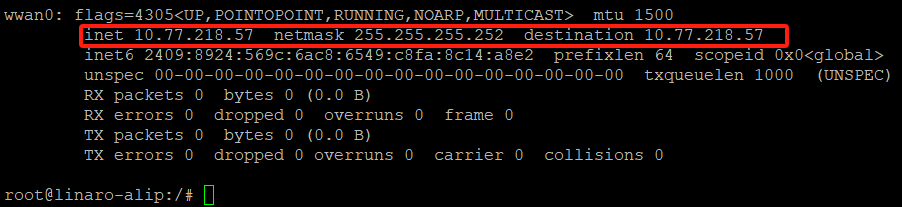
After connection, 4Gwill create a net point “wwan0”
# ping –I wwan0 www.advantech.com
M.2_B-KEY PCIE TEST Preparation:
- List disk information
# fdisk -l /dev/nvme0n1
Disk /dev/nvme0n1: 119.24 GiB, 128035676160 bytes, 250069680 sectors
Disk model: SQF-C3AV1-128GDEDE
Units: sectors of 1 * 512 = 512 bytes
Sector size (logical/physical): 512 bytes / 512 bytes
I/O size (minimum/optimal): 512 bytes / 512 bytes
Disklabel type: dos
Disk identifier: 0x217a69bc

Device         Boot Start  End   Sectors   Size Id Type
/dev/nvme0n1p1 2048    250069679 250067632 119.2G 83 Linux
- Check mount point
# mount | grep nvme
/dev/nvme0n1p1 on /run/media/nvme0n1p1 type ext4 (rw,relatime)
- Speed Test
– Read Speed
# echo 3 > /proc/sys/vm/drop_caches
# dd if=/dev/nvme0n1 of=/dev/zero bs=1M count=400
400+0 records in
400+0 records out
419430400 bytes (419 MB, 400 MiB) copied, 0.728982 s, 575 MB/s
– Write Speed
# echo 3 > /proc/sys/vm/drop_caches
# dd if=/dev/zero of=/dev/nvme0n1 bs=1M count=400
400+0 records in
400+0 records out
419430400 bytes (419 MB, 400 MiB) copied, 0.915896 s, 458 MB/s