RSB-4680 How to Config 4G-module.
How to Config 4G-module
STEP 0 : Power off the device, then insert 4G module and SIM card.
NOTE : Make sure the device is power off before insert 4G module and SIM card,
otherwise the device、4G module and/or SIM card may be damaged.
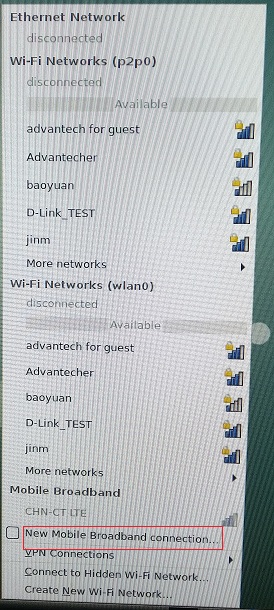
STEP 1 : Power on the device, Click network connection icon ,

then choose "New Mobile Broadband connection".
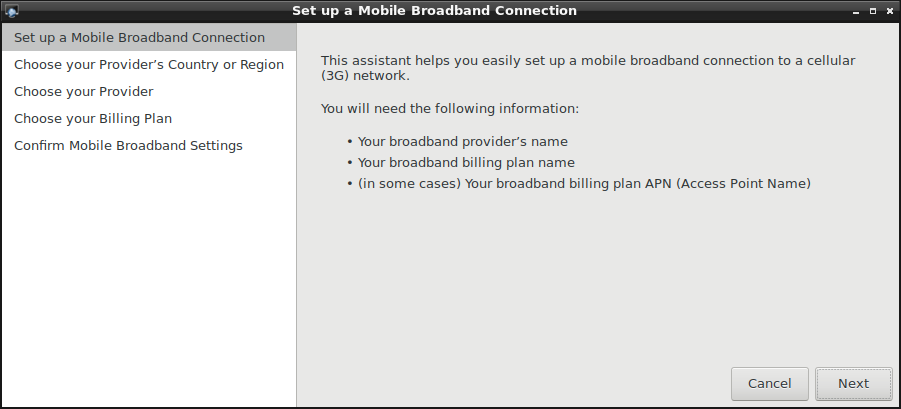
then you will see the following window, click "Next" button to the next step.
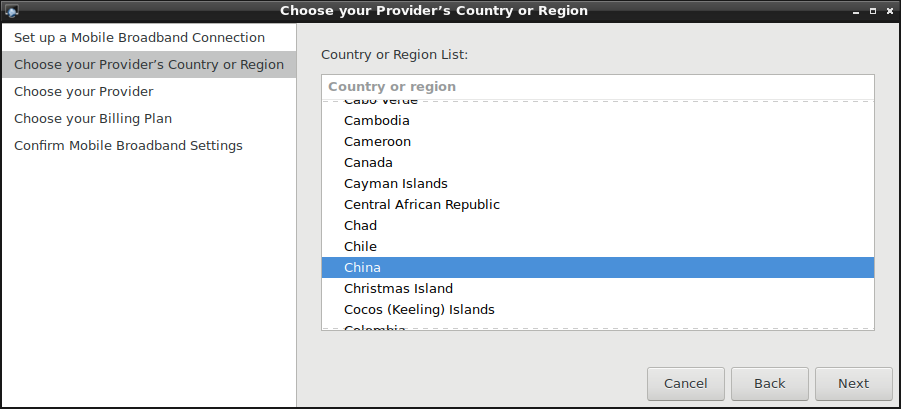
STEP 2 : Choose Provider's country or region of the SIM card you insert in STEP 0.
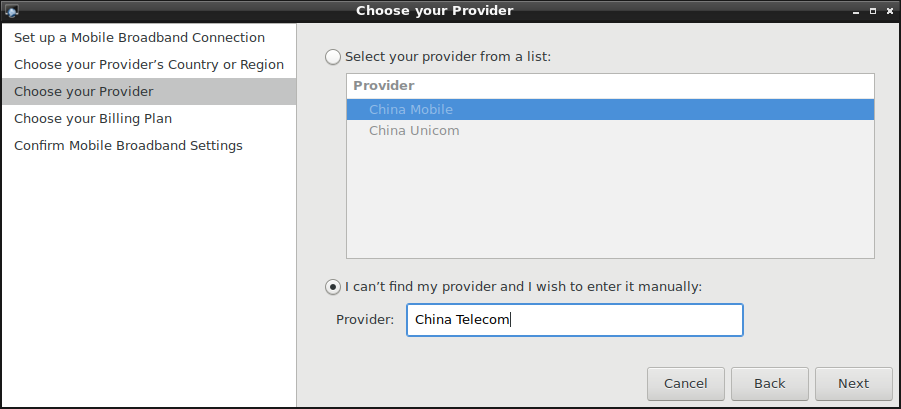
STEP 3 : Choose or Set the Provider's name.
STEP 4 : Choose or Set APN.
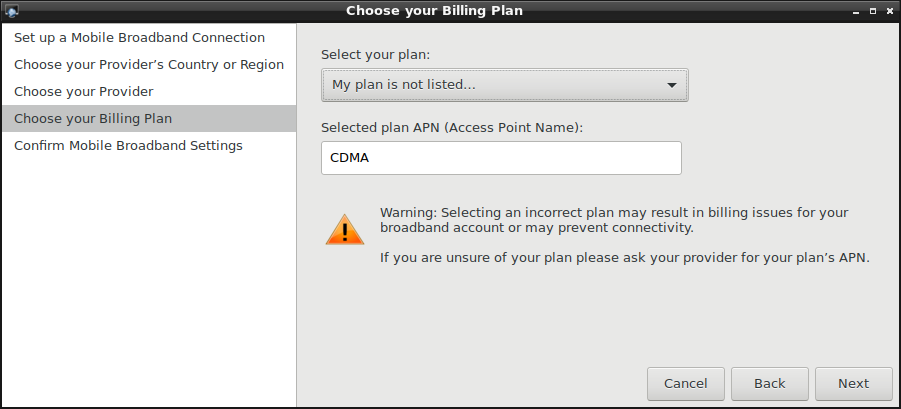
STEP 5 : Confirm your config and finish.
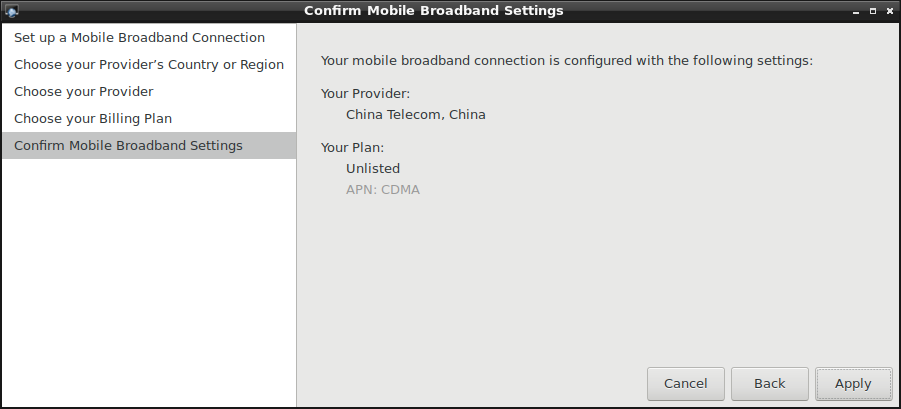
If the configuration has no error , then you could see a config file named "China Telecom connection" at /etc/NetworkManager/system-connections/.
ls /etc/NetworkManager/system-connections/
You could get the following information:
-rw------- 1 root root 288 Mar 21 10:44 China Telecom connection
Note :
If customers use the same SIM card, you can generate the config file in one device. Then pack it into rootfs.img.