AOM-3841 M.2 B Key——5G(PCIE型)
5G
AOM-3841 supports RM520NGLAA(PCIe ,Advantech PN: 968DD00342). First set M.2_B-KEY to PCIe Mode:
# fw_setenv combphy1 pcie
# reboot
M.2_B Key Pin define
| M.2_B M.2_B Connector Pin Definition |
|---|
| Pin |
| 1 |
| 2 |
| 3 |
| 4 |
| 5 |
| 6 |
| 7 |
| 8 |
| 9 |
| 10 |
| 11 |
| 12-19 |
| 20 |
| 21 |
| 22 |
| 23 |
| 24 |
| 25 |
| 26 |
| 27 |
| 28 |
| 29 |
| 30 |
| 31 |
| 32 |
| 33 |
| 34 |
| 35 |
| 36 |
| 37 |
| 38 |
| 39 |
| 40 |
| 41 |
| 42 |
| 43 |
| 44 |
| 45 |
| 46 |
| 47 |
| 48 |
| 49 |
| 50 |
| 51 |
| 52 |
| 53 |
| 54 |
| 55 |
| 56 |
| 57 |
| 58 |
| 59 |
| 60 |
| 61 |
| 62 |
| 63 |
| 64 |
| 65 |
| 66 |
| 67 |
| 68 |
| 69 |
| 70 |
| 71 |
| 72 |
| 73 |
| 74 |
| 75 |
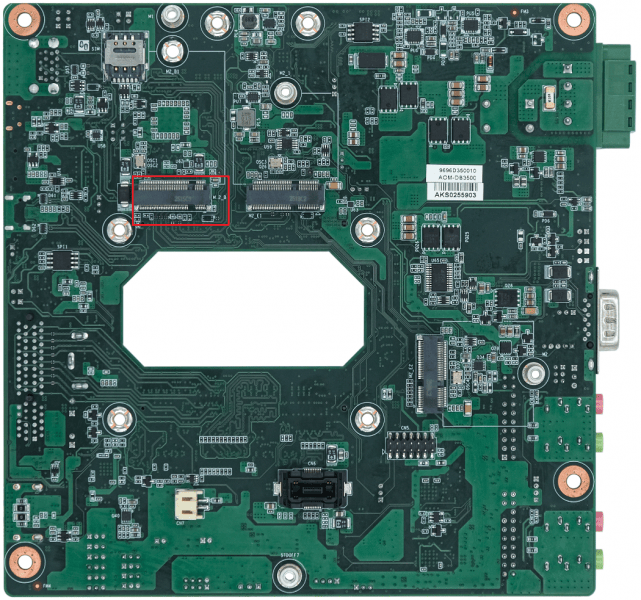
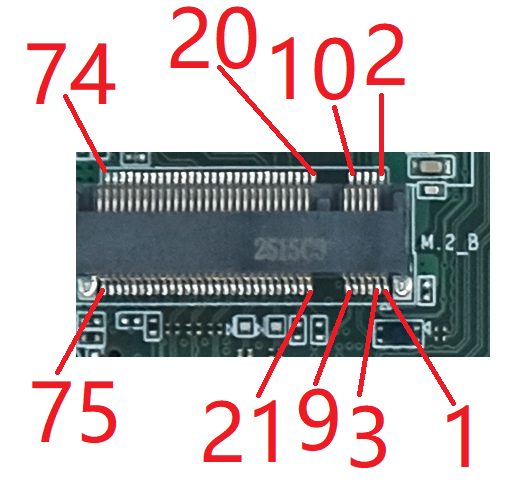
Configure 5G
1、Power off the device, then insert 5G module and SIM card.
Note:Make sure the device is power off before insert 4G/5G module and SIM card, otherwise the device, 4G/5G module and/or SIM card may be damaged.
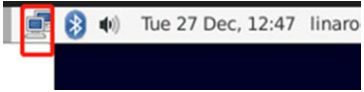
2、Power on the device, Click network connection icon
Then choose “New Mobile Broadband connection”.
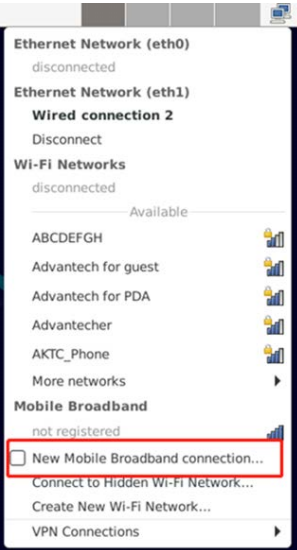
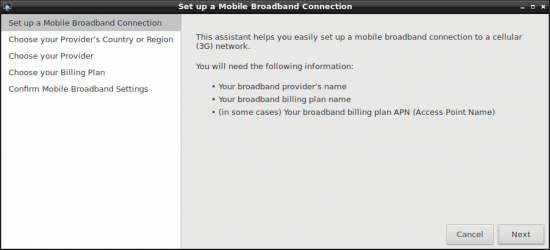
then you will see the following window, click "Next" button to the next step.
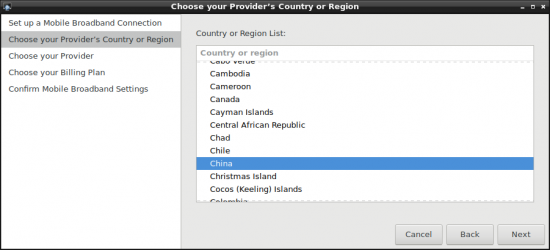
3、Choose Provider's country or region of the SIM card you insert in STEP0.
4、Choose or Set the Provider's name.
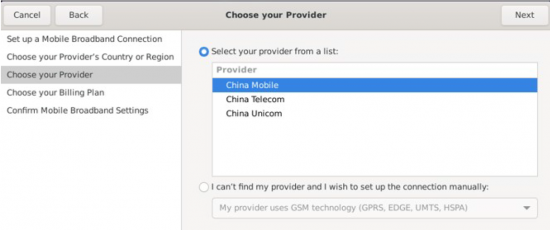
4、Choose or Set the Provider's name.
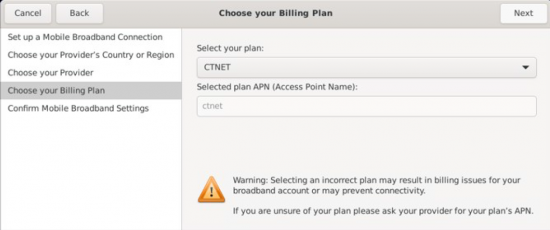
5、Choose or Set APN.
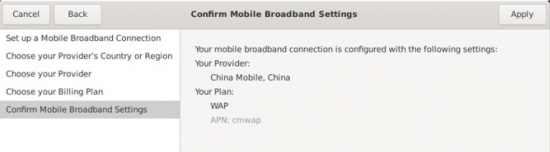
6、Confirm your config and finish.
After connection, 4Gwill create a net point “wwan0”
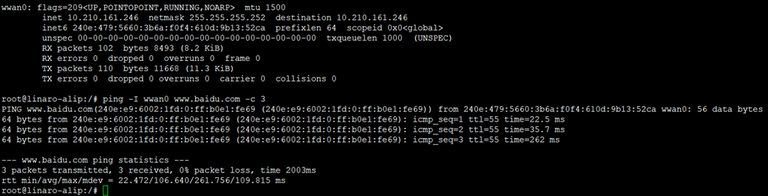
# ping -I wwan0 www.baidu.com