AOM-3841 on AOM-DB3500 Usering RKTool.
Contents
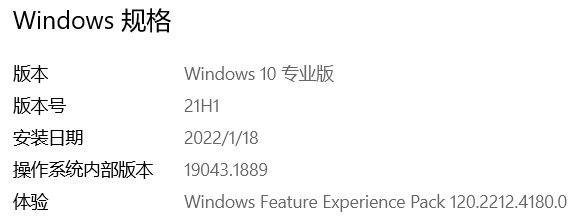
- 1For example, the PC used is a laptop. The specifications are as follows:
- 2List
- 3The setup environment is as follows.
- 4PC Install the driver
- 5Enter into MASKROM mode
- 6Go to the RKDevTool_Release folder and run the RKDevTool.exe program.
For example, the PC used is a laptop. The specifications are as follows:
Decompress the downloaded image on the PC.
List
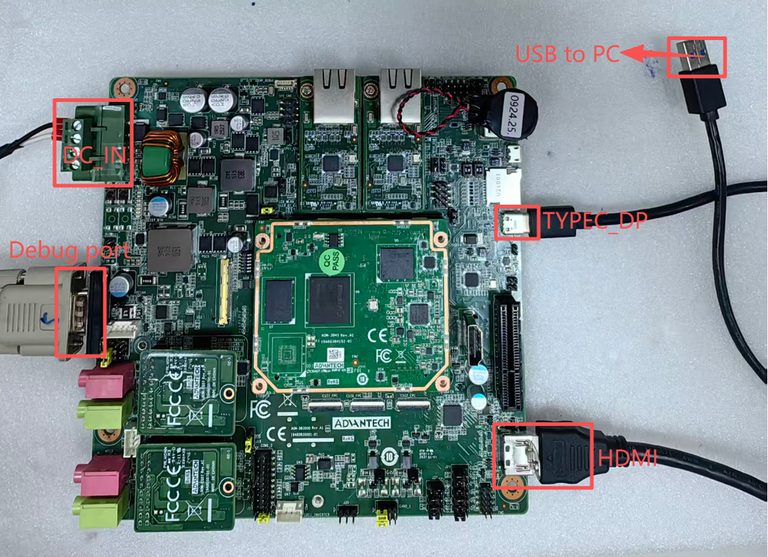
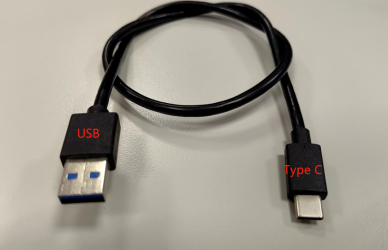
1、Prepare a TYPE_C to USB cable.
2、Prepare a DC_IN 24V 60W Adapter.(Advantech Part Number:96PSA-A60W24T2-3)
3、Prepare a USB to UART console cable.
4、Prepare an HDMI monitor and plug the HDMI cable into the HDMI port on the base plate.
The setup environment is as follows.
PC Install the driver
1、Extract Driver Assitant_v5.13.zip and follow these steps: Mounting driver.
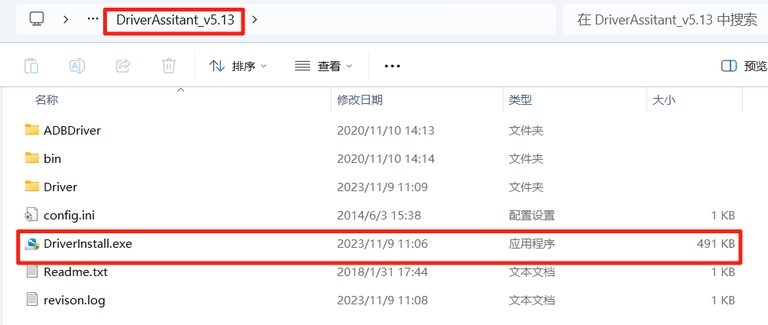
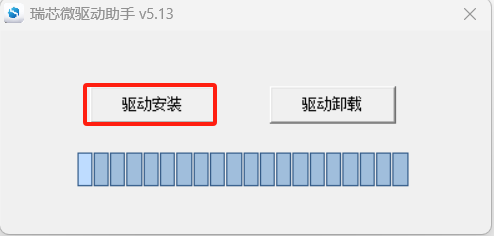
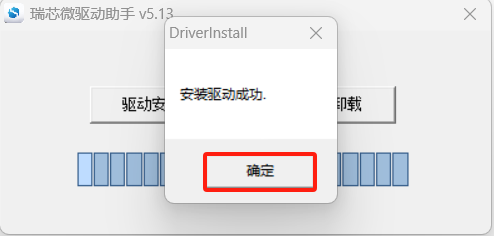
2、Run the installer and wait for the installation to succeed.
3、Change Tool language in config.ini, please change "Selected: to "2"
选择工具语言:Selected=1(中文)<--Chinese ;Selected=2(英文)<-- English [Language] Kinds=2 Selected=2 LangPath=Language\

Enter into MASKROM mode
When the device boot up to android or debian, you can use ADB or Debug console, send command "reboot loader" .
Or Press "ctrl + c" key when booting into uboot, until get the following information on debug console :
Android :
Hit any key to stop autoboot: 0
rkboot # <INTERRUPT>
rkboot # loader
Debian :
Hit any key to stop autoboot: 0
rkboot # <INTERRUPT>
rkboot # rbrom
Next:
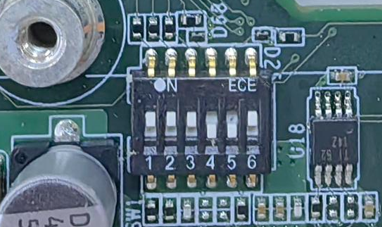
SW1 setting: Switch all positions 1 to 6 to ON to force the device into "MASKROM" mode. After entering the MASKROM mode, switch positions 4 and 5 back to OFF.
Go to the RKDevTool_Release folder and run the RKDevTool.exe program.
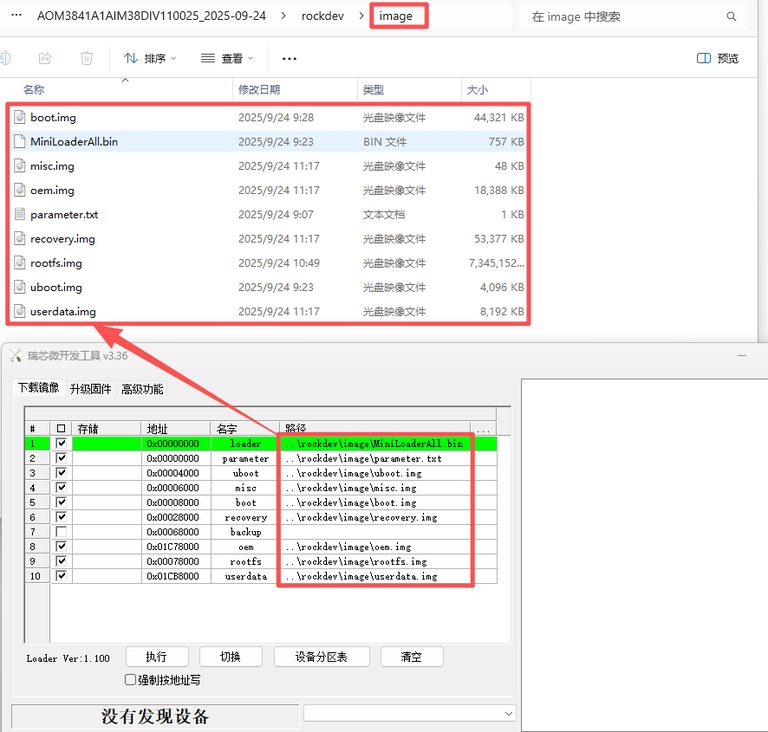
1、Ensure that the path to the burned file is correct.
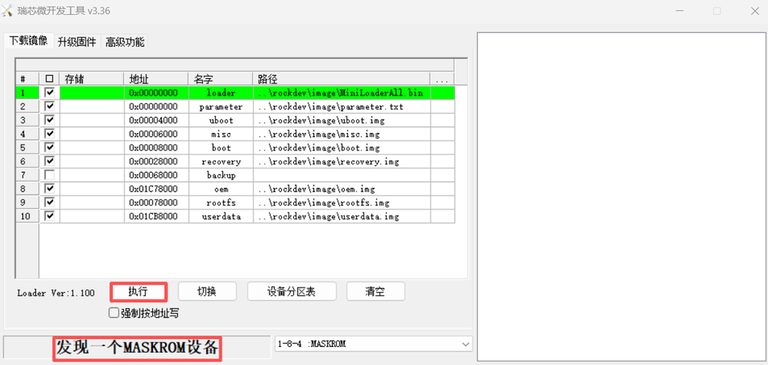
2、After entering the "MASKROM" mode, click to execute and start the burning process.
Note:Suspend or shut down the virtual machine during this process; otherwise, the pop-up information may affect the burning results.
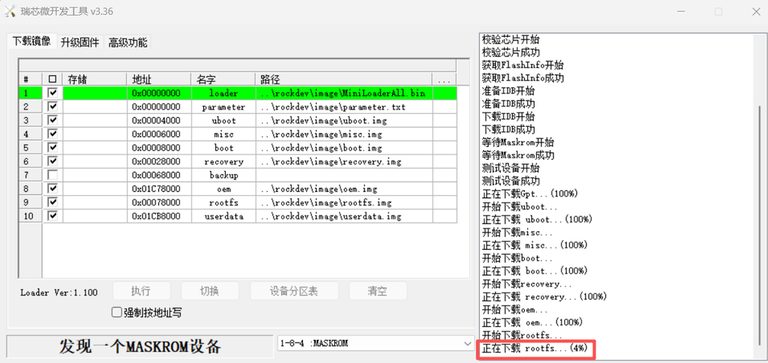
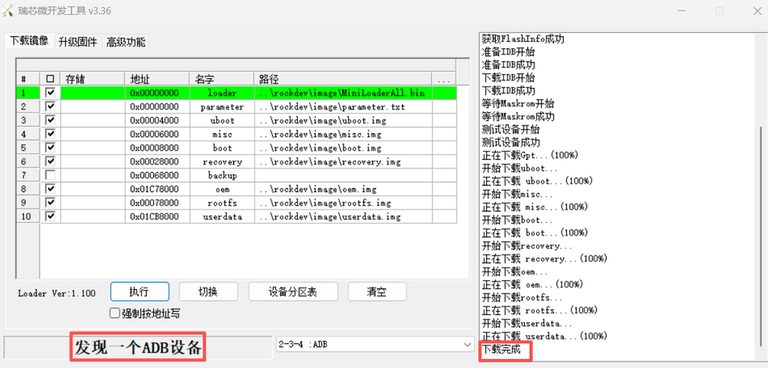
3、Please be patient. After the burning process is completed, the board will automatically restart once the burning is successful.
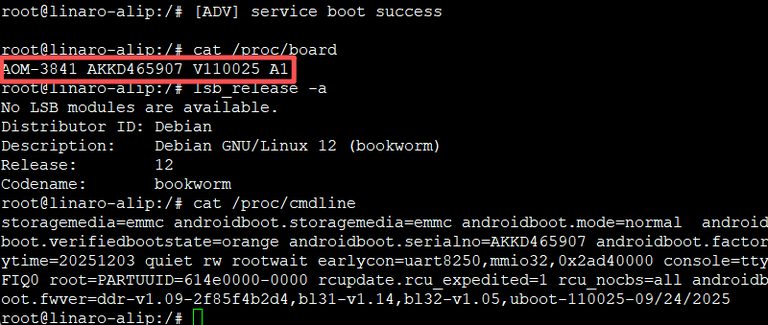
4、Check the system version.