AFE-R761 4G/5G
Configure 4G/5G
Default supported 4G module: EM05-CNFD-128-SGAS (Advantech PN: 968DD00443) Default supported 5G module: RM520NGLAA-M20-SGASA (Advantech PN: 968DD00342)
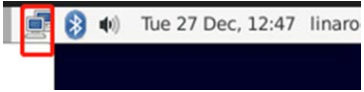
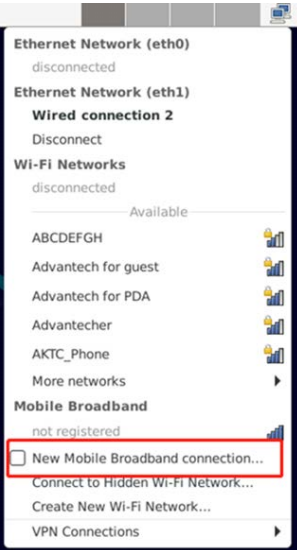
STEP 1: Power on the device, Click network connection icon then choose "New Mobile Broadband connection".
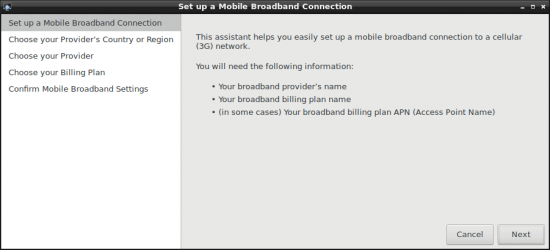
then you will see the following window, click "Next" button to the next step.
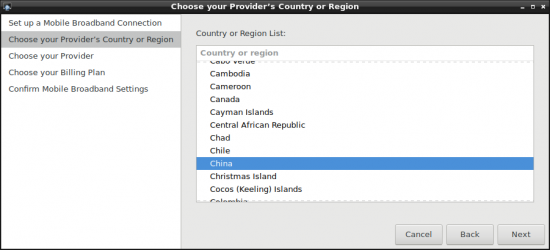
STEP 2 : Choose Provider's country or region of the SIM card you insert in STEP 0.
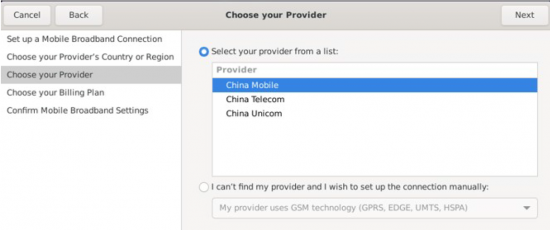
STEP 3 : Choose or Set the Provider's name.
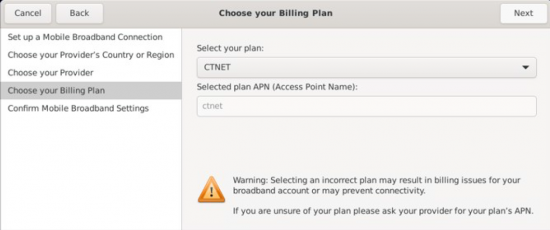
STEP 4 : Choose or Set APN.
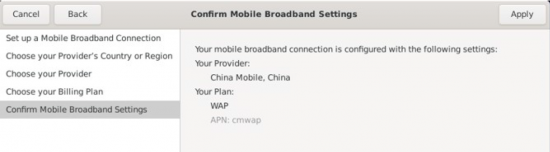
STEP 5 : Confirm your configuration and finish.
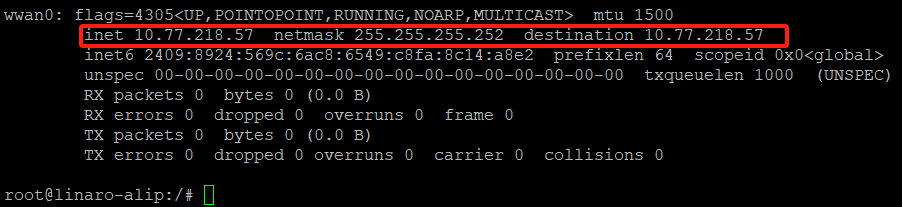
After connection, 4Gwill create a net point “wwan0”
# ping –I wwan0 www.advantech.com