AFE-R761 Audio
Contents
- 1Hardware pin definition:
- 2SW Function: 2.1Setting: 2.2Mute and Volume Control:
- 3Audio Test 3.11. Get sound card ID. 3.22. Record 3.33. Playback
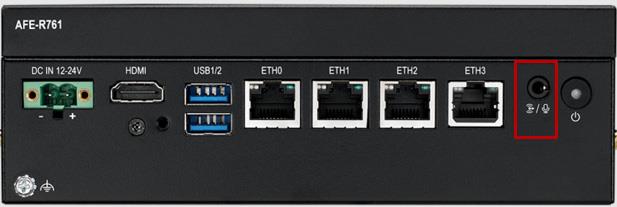
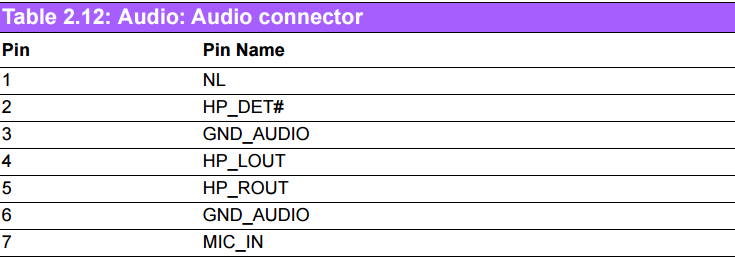
Hardware pin definition:
SW Function:
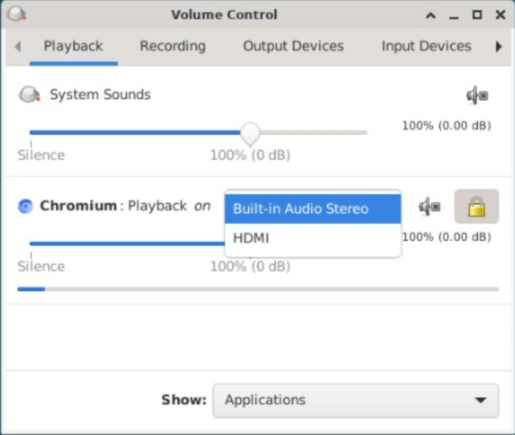
AFE-R761 supports two kinds of sound cards: "0 hdmi" and "1 es8326c". To set the default audio output for media playback, follow these steps:
Setting:
-
Click “Applications” ->”Multimedia”->”PulseAudio Volume Control”.
-
Select “Build-in Audio stereo” for es8326c-codec output, or select “HDMI” for HDMI output.
Mute and Volume Control:
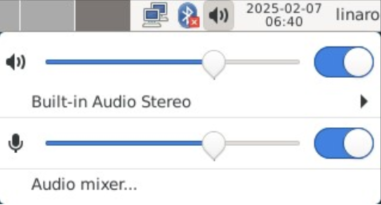
Mute and volume can be configured by GUI.
Audio Test
1. Get sound card ID.
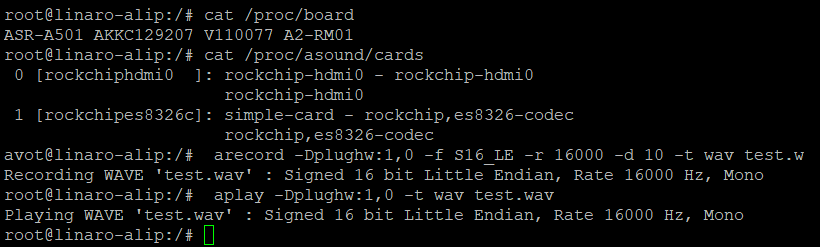
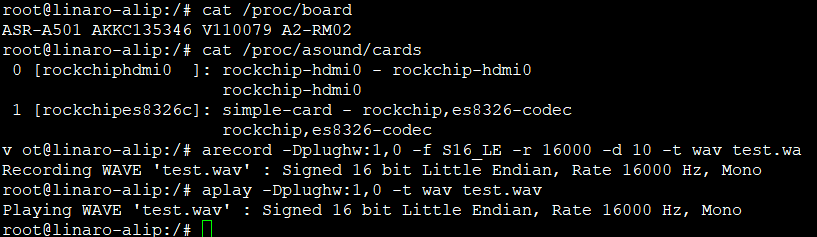
# cat /proc/asound/cards
0 [rockchiphdmi0 ]: rockchip-hdmi0 - rockchip-hdmi0 rockchip-hdmi0
1 [rockchipes8326c]: simple-card - rockchip,es8326-codec rockchip,es8326-codec
2. Record
Take Card ID 1 for example:
# arecord -Dplughw:1,0 -f S16_LE -r 16000 -d 10 -t wav test.wav
3. Playback
Take Card ID 0 for example:
# aplay -Dplughw:0,0 -t wav test.wav
See details of the usage of "aplay":
# aplay --help
… …
-D, --device=NAME select PCM by name
-t, --file-type TYPE file type (voc, wav, raw or au)
… …