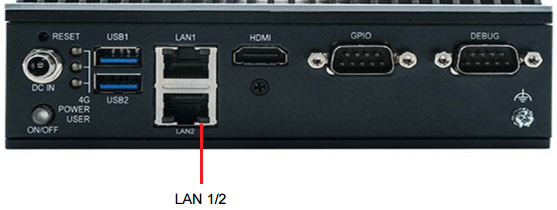
AFE-E630 LAN1/2
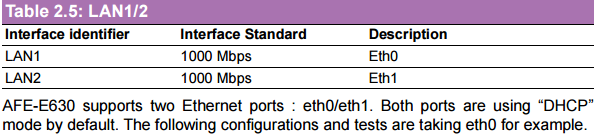
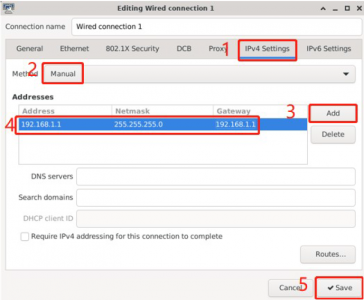
Configure to Static IP
- Click “Applications” -> “Settings” -> “Advanced Network Configration”.
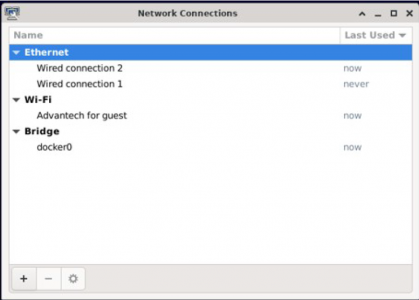
2. Double-click “Wired Connection 1” to configure it.
Configure to DHCP
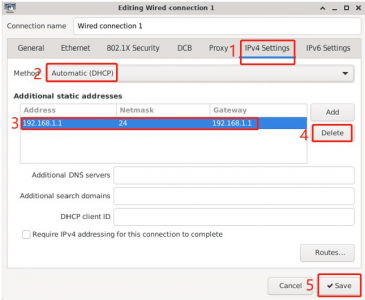
1. Click “Applications” -> “Settings -> “Advanced Network Configration”.
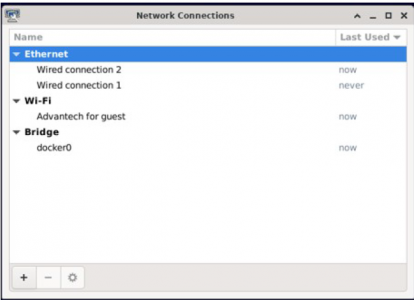
2. Double-click “Wired Connection 1” to configure it.
Ethernet Test
After connection, Ethernet will create a net point “eth0” and “eth1”.
# #---- Test eth0 ----# #
# ping –I eth0 www.advantech.com
# #---- Test eth1 ----# #
# ping –I eth1 www.advantech.com