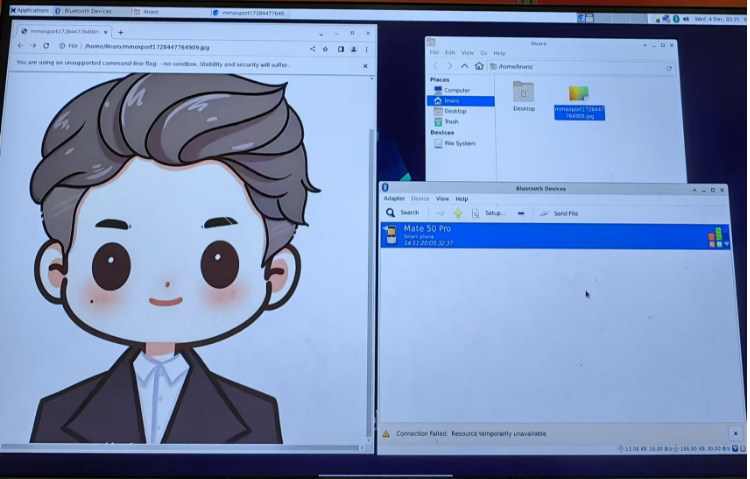
AFE-E630 WIFI/BT
Contents
- 1AFE-E630 support model of WiFi/BT module:AIW-162BS-GI1 1.1Build a test environment:: 1.2Configure WIFI 1.3WIFI Test 1.4BT(For example:“Mate 50 Pro”)
AFE-E630 support model of WiFi/BT module:AIW-162BS-GI1
Build a test environment::
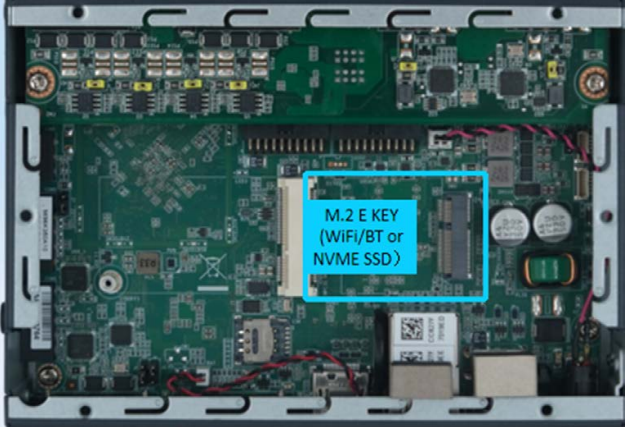
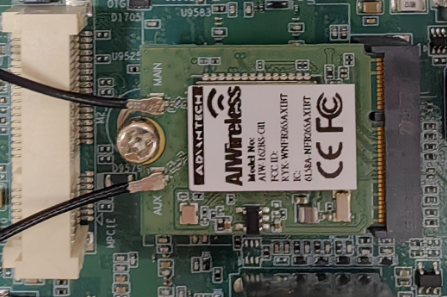
Configure WIFI
- Click the Wi-Fi icon in the top right corner of the screen and select a Wi-Fi connection (for example, Advantech for guest).
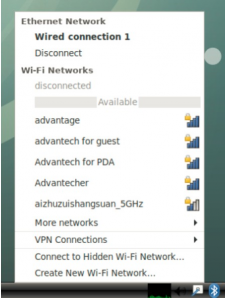
- Enter the Wi-Fi password to connect to the device.
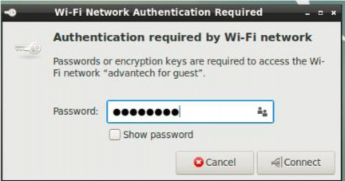
- If the password is correct, the device will connect quickly.
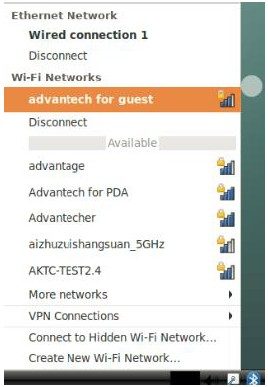
WIFI Test
After connection, Wi-Fi will create a net point “wlan0”.
# ping -I wlan0 www.advantech.com
BT(For example:“Mate 50 Pro”)
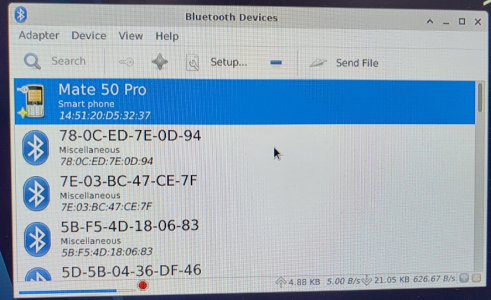
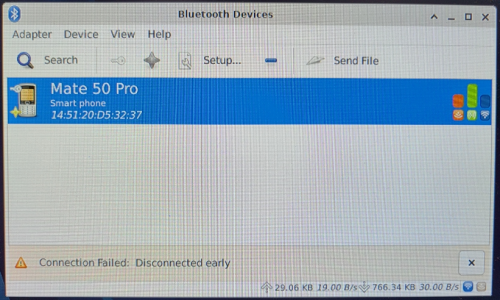
Step1 :Click “Applications” -> “Settings”-> “Bluetooth manager”. Click the “Search” button to search for Bluetooth devices.
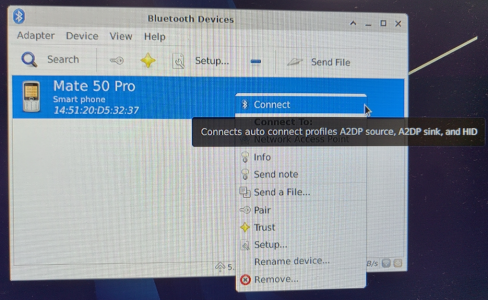
Step2 :Right-click to select a device, such as “Mate 50 Pro”, and Connect Bluetooth.
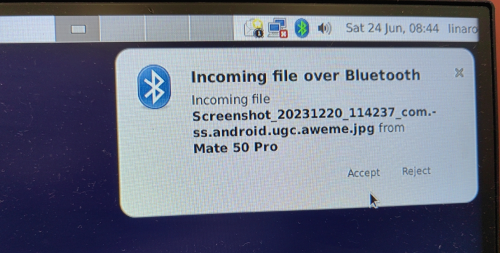
Step3 :AFE-E630 will start sending files when the receiver device, such as “Mate 50 Pro ”, confirms bluetooth reception.
Step4:View the location and information of the sent file