AFE-E630 PCIE
AFE-E630 supports one PCIE port. Using PCIE disk (SQF-C3AV1-128GCEDC) to test PCIE interface.
Note:
- Make sure the device is power off before insert PCIE disk, otherwise the device and/or PCIE disk may be damaged.
- Make sure PCIE disk is partitioned and formatted
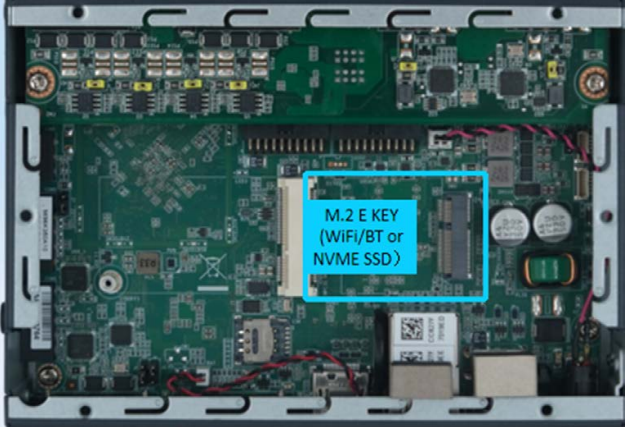
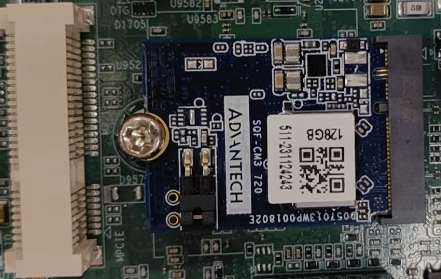
- List disk information
# fdisk -l /dev/nvme0n1
Disk /dev/nvme0n1: 119.24 GiB, 128035676160 bytes, 250069680 sectors
Disk model: SQF-C3AV1-128GDEDE
Units: sectors of 1 * 512 = 512 bytes
Sector size (logical/physical): 512 bytes / 512 bytes
I/O size (minimum/optimal): 512 bytes / 512 bytes
Disklabel type: dos
Disk identifier: 0x217a69bc

Device         Boot Start  End   Sectors   Size Id Type
/dev/nvme0n1p1 2048    250069679 250067632 119.2G 83 Linux
- Check mount point
# mount | grep nvme
/dev/nvme0n1p1 on /run/media/nvme0n1p1 type ext4 (rw,relatime)
- Speed Test
– Read Speed
# echo 3 > /proc/sys/vm/drop_caches
# dd if=/dev/nvme0n1 of=/dev/zero bs=1M count=400
400+0 records in
400+0 records out
419430400 bytes (419 MB, 400 MiB) copied, 0.728982 s, 575 MB/s
– Write Speed
# echo 3 > /proc/sys/vm/drop_caches
# dd if=/dev/zero of=/dev/nvme0n1 bs=1M count=400
400+0 records in
400+0 records out
419430400 bytes (419 MB, 400 MiB) copied, 0.915896 s, 458 MB/s